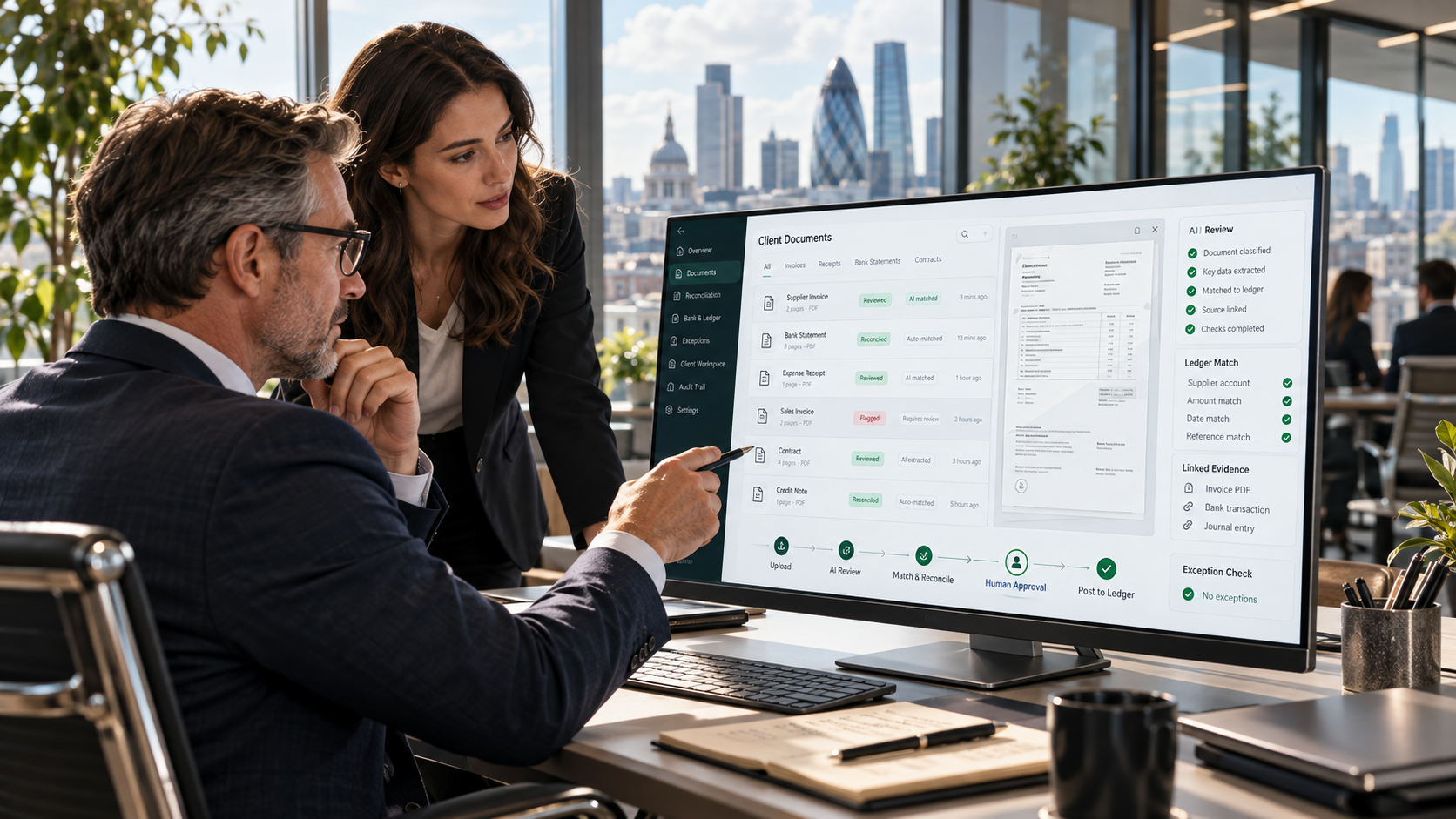
Choosing accounting AI software is a procurement decision, not simply an experiment with a chatbot. For a UK practice, a useful system must fit the existing ledger, document and engagement processes, provide evidence for important outputs, respect client confidentiality and support the people accountable for the work.
That distinction matters as more vendors add AI features to bookkeeping platforms, accounts-production systems, document-processing tools and practice software. Two products can both advertise “AI for accountants” while doing entirely different jobs. A text assistant that drafts a client email is not the same as a reconciliation exception engine; neither is automatically an appropriate tool for tax conclusions or audit evidence.
This guide is a buyer’s checklist: what to ask during selection, what to test in a pilot, which risks to control, and how to compare software before signing a contract. For concrete examples of work the technology can support, see our separate Accounting AI workflow guide.
Pick a workflow, define an acceptable output, identify the evidence that should support it, and name the person who must approve it. Only then evaluate the AI product.
1. Decide which category of accounting AI software you are buying
“Accounting AI” is a broad label. Vendors may specialise in one or more of these areas:
| Software category | What to evaluate |
|---|---|
| Document intake and extraction | Classification of invoices and statements; data fields extracted; confidence flags; links to originals. |
| Bookkeeping and exception detection | Suggested coding, missing information, unusual transactions, and review before posting. |
| Reconciliation and close support | Match rules, exception queues, reconciliation summaries, source references and sign-off. |
| Technical research or knowledge search | Search across permitted sources; currency of guidance; citations and document version control. |
| Reporting and commentary | Drafting from locked figures; variance checks; separation between facts and interpretation. |
| Practice workflow assistance | Engagement tasks, client queries, document chasing, review notes and staff handovers. |
Do not buy a general-purpose assistant expecting it to contain reliable ledger integrations, review queues and evidence trails unless those capabilities are demonstrated in the actual product.
2. Check integration with the systems the practice already uses
For many firms, poor integration creates more work than the new AI feature saves. Evaluate whether the product can work with your existing accounting platform, document store, practice management process and identity system.
Ask the supplier to demonstrate:
- How client and entity records are selected and separated.
- Whether data is read live, uploaded manually or copied on a schedule.
- How duplicate, missing or amended records are handled.
- Whether outputs can return to an approved workpaper or task.
- Whether user permissions from the original source are respected.
- What happens when a source connection fails or a document changes.
Do not assume “integrates with accounting software” means a supported, two-way connection. Some offerings provide read-only imports; others depend on a third-party integration or additional commercial plan. Request a written integration scope.
3. Demand source traceability and evidence—not confident prose
For accounting AI tools, provenance is more important than polished wording. An answer that states “revenue declined because of customer churn” is not acceptable simply because it sounds plausible. The system should identify the underlying values, the relevant reporting period and, where appropriate, supporting records.
A good product demo should let a reviewer:
In tax research, ask the software to provide primary sources and then manually open them. Fabricated, outdated or contextually irrelevant citations should count as failures, not cosmetic issues.
4. Test accuracy with the firm’s own controlled cases
A vendor’s prepared demo is useful for understanding the interface, but not for proving performance on your work. Create a small benchmark of representative, appropriately authorised and de-identified tasks with known outcomes.
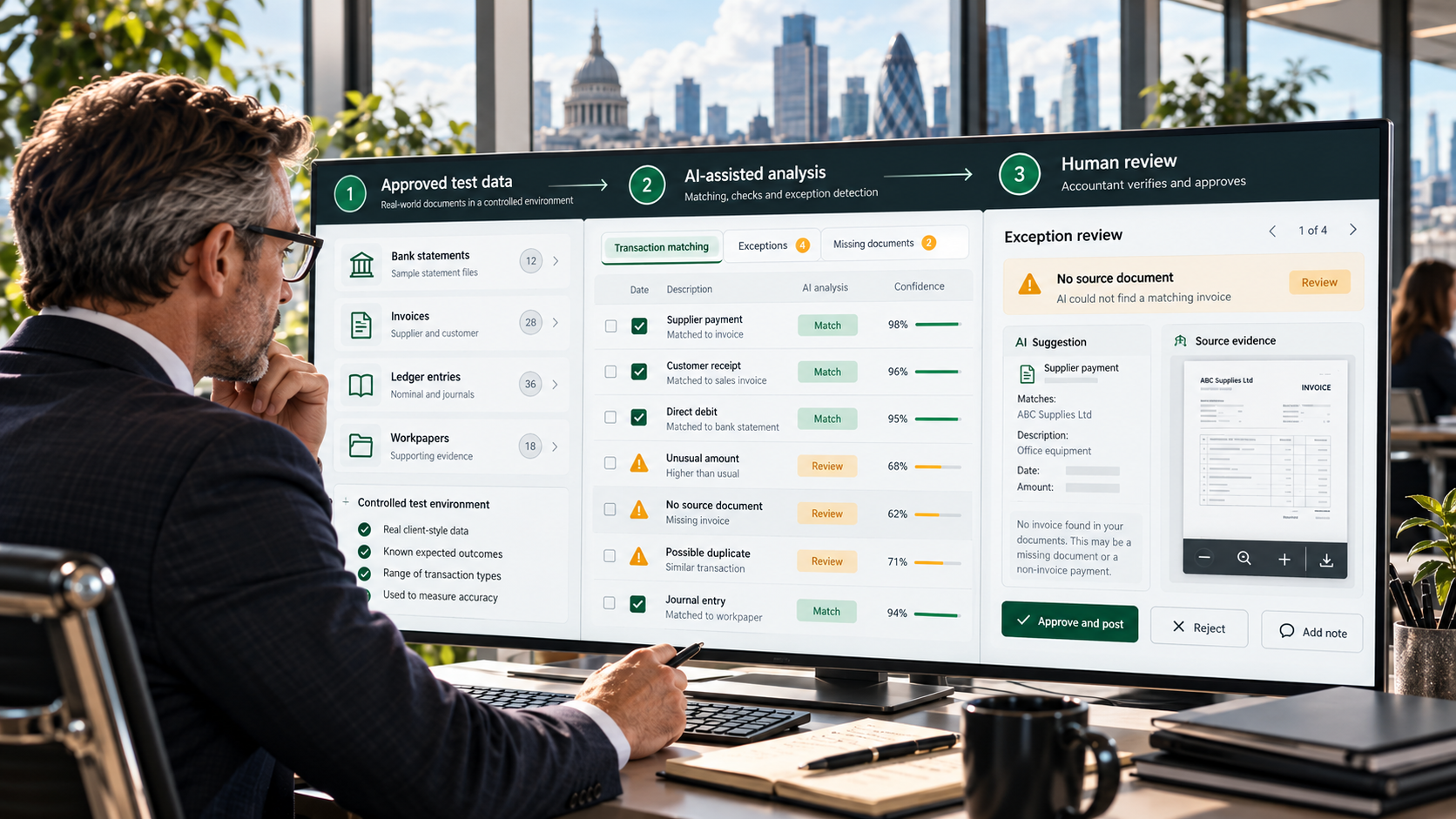
For example, test a reconciliation assistant with 20 items containing clean matches, timing differences, duplicate entries, missing supporting documents and one unusual transaction. Compare its findings with the firm’s verified results.
| Test measure | What it reveals |
|---|---|
| Correct identification | Were the real exceptions detected? |
| False positives | How many ordinary transactions were incorrectly flagged? |
| Unsupported assertions | Did the output introduce facts or causes absent from the sources? |
| Reviewer corrections | How much editing or investigation remained? |
| Reproducibility | Does the workflow behave acceptably on repeat runs? |
| Failure behaviour | Does it stop, flag uncertainty or silently produce an answer? |
Evaluate by use case. A document triage tool and an audit-support tool will not have the same acceptable error threshold. The firm—not the vendor—should define what counts as material for the intended job.
5. Confirm human review, approvals and role separation
Accounting software AI should give staff a practical way to accept, amend or reject suggestions. A “human in the loop” claim means little if the user cannot inspect evidence or override the result.
Ask which actions are merely drafts and which can change the ledger, communicate with clients, update an engagement file or trigger another workflow. High-impact actions should have explicit boundaries and appropriate authorisation.
The UK Financial Reporting Council’s March 2026 guidance on generative and agentic AI in audit stresses the need to obtain appropriate confidence in outputs, apply professional judgement and maintain firm and auditor accountability. That is particularly relevant if you intend to use software in audit engagements; guidance for audits should not automatically be treated as a universal technical certification of all AI products.
For a practical purchase decision, require separate permissions for preparers, reviewers, administrators and service providers where the workflow demands it.
6. Examine confidentiality, UK GDPR and data handling
Client data may include personal information, financial records and commercially sensitive documents. The Information Commissioner’s Office explains that AI systems processing personal data must account for individual rights and data-protection obligations across the AI lifecycle. Procurement is not a substitute for complying with those obligations.
Put these questions to each vendor in writing:
- Who is the data controller or processor for each processing activity?
- Where are prompts, documents, embeddings, logs and outputs processed and stored?
- Are client inputs used to train or improve a shared model? Can that be restricted contractually?
- What are the retention and deletion controls?
- Is data separated between client accounts and between firms?
- What subcontractors and third-party AI providers receive data?
- What security controls, incident processes and contractual commitments exist?
- Can the firm meet access, correction, deletion and other applicable rights requests?
- How do lawful basis, transfers and data-protection impact assessments apply to the intended deployment?
Supplier responses should be evaluated by the practice’s privacy and security advisers. A “GDPR-ready” badge alone is not evidence that a particular deployment will comply with the law.
7. Check whether the product supports professional obligations
The relevant obligations depend on what the firm does: general bookkeeping, tax compliance, advisory work, accounts preparation and statutory audit are not interchangeable use cases.
For tax work, the ICAEW has noted the 2026 update to Professional Conduct in Relation to Taxation guidance addressing AI. The existing principles remain relevant, including professional competence and due care. For audit, FRC guidance and the firm’s quality management system matter in assessing whether and how the AI-assisted step fits into its methodology.
Ask for documentation of the intended use, known limitations, testing procedure, change control, monitoring and evidence retained from each reviewed output. Do not assume the vendor has obtained professional approval simply because the tool is marketed to accountants.
8. Assess security and day-to-day access control
Enterprise procurement should go beyond a privacy statement. Test operational access:
If a junior employee can query confidential records belonging to every client simply because the AI search is “convenient”, the access model is wrong for the firm.
9. Check update policies and behaviour when the model changes
AI performance can change when a vendor updates the underlying model, retrieval system or prompt configuration. Procurement should address versioning rather than treating the original demo as permanent.
Ask how changes are communicated, whether regression tests are performed, whether the firm can delay important updates and how failures can be investigated. For source-backed answers, check whether citations still link to the correct policy or document version after content updates.
10. Compare the actual cost—not only the licence fee
Request a full cost model covering:
- per-user, per-client, usage-based or document-volume charges,
- implementation and integration work,
- security and data migration tasks,
- training and internal support,
- reviewer time and manual correction,
- premium audit logs, retention, support and export features, and
- costs of changing providers later.
A simple return-on-investment test is more useful than a vendor’s broad productivity claim. Track net time saved after corrections, the quality of outputs and the cost per completed approved task. Faster draft generation may not translate into faster engagements if reviewers must investigate unreliable results.
11. Run three realistic live demo tests
Give shortlisted vendors the same representative exercises. Use synthetic or approved de-identified data until information-governance checks are complete.
| Demo scenario | What the vendor must show |
|---|---|
| Document intake | Extract from a mixed statement/invoice set, identify missing documents and link fields to originals. |
| Reconciliation exception review | Identify a duplicate and an unmatched amount, show why each was flagged, and let a reviewer close the item. |
| Reporting commentary | Draft a short variance explanation from verified numbers without inventing causes; link any supporting narrative evidence. |
Follow each demonstration with a failure case: a missing source, contradictory figures or an ambiguous instruction. The most revealing part of a product is often how it responds when the data does not support a clean answer.
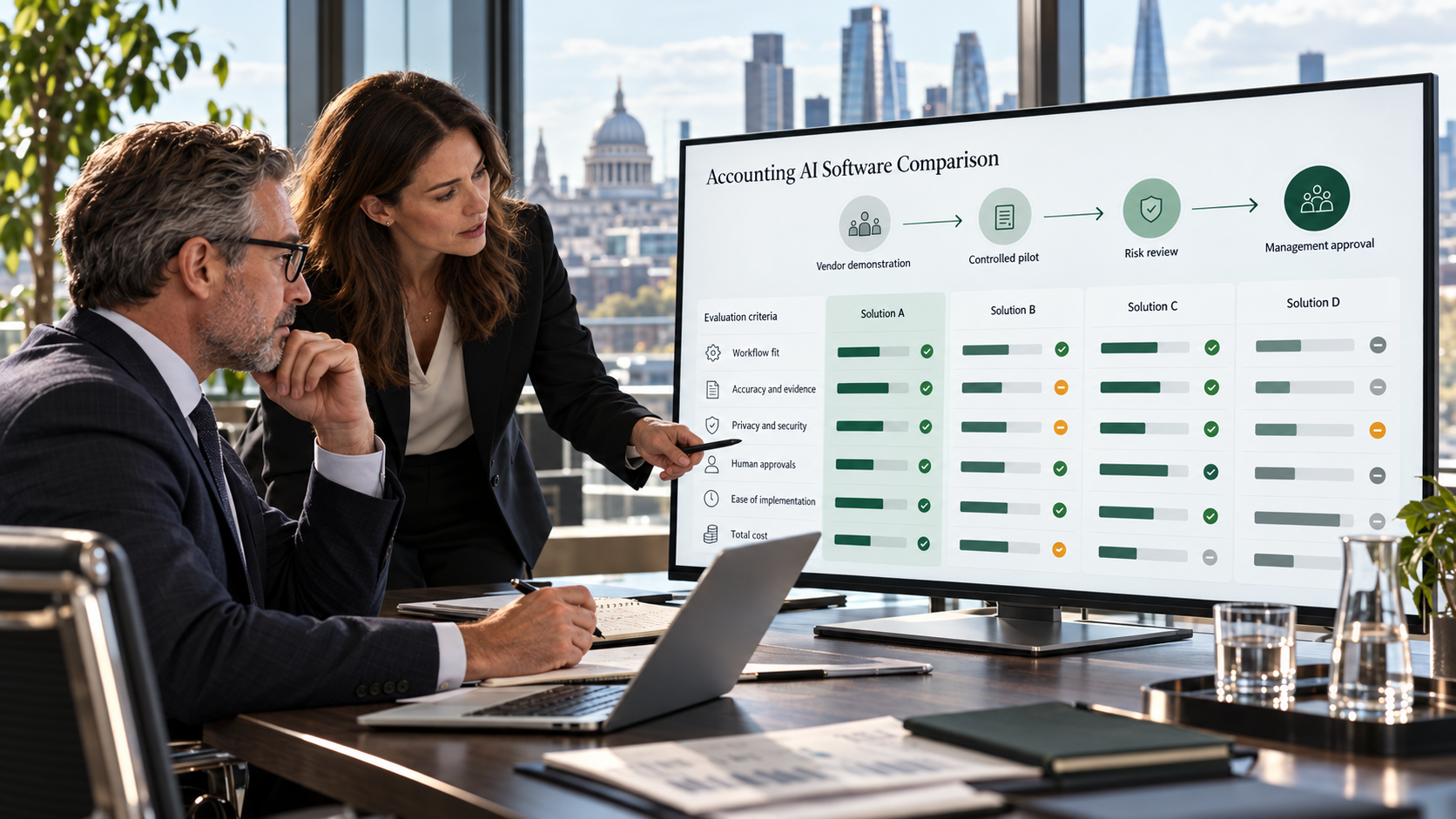
12. Use a weighted accounting AI software scorecard
For a UK accountancy practice, a sample evaluation framework can assign a score from 1 (poor) to 5 (strong) to each area. The weights below are a suggested procurement template—not a regulatory standard—and should be adjusted to your use case.
| Evaluation area | Suggested weight | Minimum evidence |
|---|---|---|
| Workflow fit and integration | 20% | Hands-on demonstration with representative inputs. |
| Accuracy and source evidence | 25% | Test-set results, traceable outputs, clear failure modes. |
| Privacy and security | 20% | Contractual terms, data flows, controls and security review. |
| Review and audit trail | 15% | Permissioned approval process and retrievable history. |
| Usability and implementation | 10% | Pilot with the staff who will use the system. |
| Total cost and portability | 10% | Full commercial terms, migration and exit scenario. |
Score each vendor against the same scenarios, not against separate polished demonstrations. Any critical confidentiality or authorisation weakness should be treated as a potential disqualifier rather than averaged away by a high score elsewhere.
Do not proceed from pilot to production until the workflow owner has approved the test results, the privacy/security review is complete, and the firm has documented the human approval point.
13. Watch for these purchasing red flags
- “100% accurate” claims without meaningful testing and defined scope.
- No source links for claims derived from your documents or technical material.
- Hidden model-training terms or unclear data recipients.
- Automatic posting or sending without suitable permissions and approval.
- Unclear integration claims or reliance on repeated CSV uploads when you need a live workflow.
- No export route for files, outputs, logs or client-specific configuration.
- No change log for important model and workflow updates.
- Unverifiable “compliant” badges presented as substitutes for your firm’s own review.
Where NIR.Systems fits
NIR.Systems focuses on specialist AI and custom business systems built around well-defined workflows. For an accounting practice, a custom scope could focus on internal document retrieval, source-backed analysis, exception queues or reporting drafts, with role permissions and human review designed into the process.
A dedicated packaged Accounting AI product hub is not currently live on NIR.Systems. We therefore do not describe an off-the-shelf accounting system or unverified regulatory certification here. Firms evaluating a scoped solution can explore the Specialist AI approach and Custom Systems.
For operational examples rather than product-selection criteria, read How Accounting Firms Can Use Accounting AI in Real Workflows.
Frequently asked questions
What is accounting AI software?
It is software that uses AI within defined accounting or practice workflows. Common categories include document intake, transaction review, reconciliation exceptions, source-backed research and management-report drafting. Features and control levels vary considerably.
How should a UK accounting firm choose AI software?
Choose a clear workflow, test a shortlist on real representative cases, check the evidence behind outputs, inspect integrations and permissions, complete privacy and security due diligence, document approvals and compare full operating costs.
Does AI software remove the need for an accountant to review the result?
No. Qualified people remain responsible for exercising professional judgement and reviewing outputs proportionately. Audit and tax workflows need particular care.
Should firms upload confidential client files to a public AI chatbot?
Not without evaluating confidentiality, the relevant legal and data-protection obligations, provider contracts, processing locations, retention, training use and access controls. A safe pilot can begin with synthetic or approved de-identified material.
Authoritative sources and further reading
- FRC — Guidance on generative and agentic AI in audit (March 2026)
- FRC — Corporate reporting remains human-led (July 2026)
- ICAEW — AI and accountants: professional rules and guidance (May 2026)
- ICAEW — Analytics in external audit: practice and trends (July 2026)
- ICO — Individual rights in AI systems
This is software procurement guidance, not legal, audit, tax or professional compliance advice. UK requirements depend on the work performed, the data processed and the specific deployment; ICO guidance may also be updated as legislation changes.
Evaluate the accounting workflow before you commit to software.
Start with a documented use case, a controlled evidence set and explicit review responsibility. Build the system around that process.