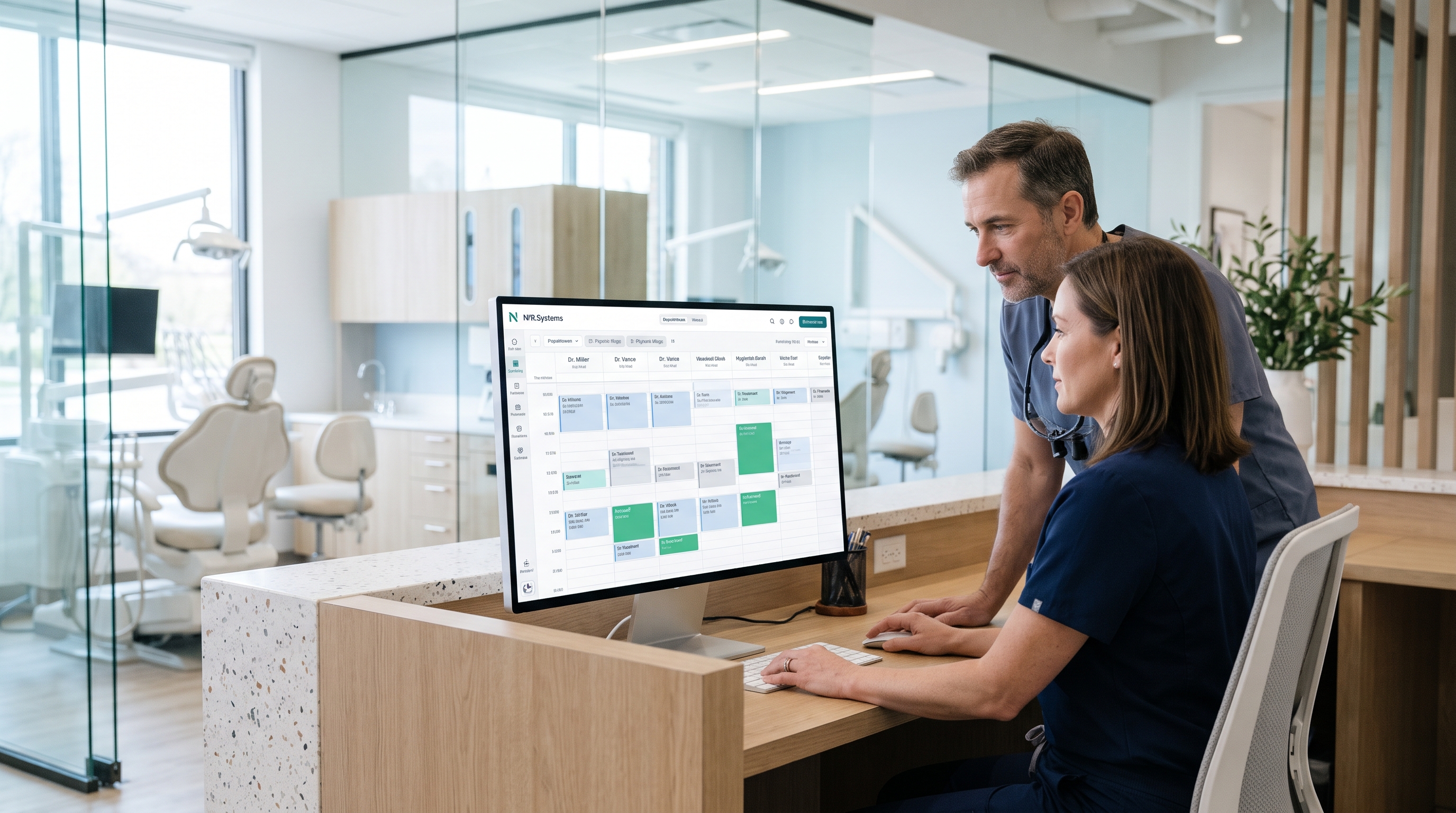
A dental clinic calendar is not simply a list of free 30-minute blocks. An appointment can depend on a dentist, hygienist, suitable treatment chair, appointment type, setup and turnaround time, patient requirements and what happens after the visit. Good dental appointment scheduling software brings those constraints together without making reception staff repair the schedule all day.
This guide is for US dental practice owners and managers comparing booking systems. It explains the actual clinic workflow, the questions to ask before buying and the difference between an appointment calendar and broader dental practice management software. It also examines the real Dental & Clinic Appointment Booking demo offered by NIR.Systems—without claiming capabilities or compliance that have not been independently established.
There are several ways a clinic can lose the thread: a hygiene visit booked with the wrong provider, two patients allocated the same chair, a cancellation not offered to a waiting patient, a recall never followed up or a treatment appointment whose duration was estimated badly. The software should help staff make the next correct scheduling decision, not merely populate a visually attractive calendar.
Can a front-desk team book a real patient into an appropriate service, clinician and room; manage changes; communicate respectfully; and pass accurate visit status to the next team member? Test that before comparing dashboards or subscription prices.
1. Decide whether you need booking software or a complete dental practice system
Start with the job the new software must perform. Dental appointment scheduling manages availability, bookings, appointment status, changes and reminders. A broader practice management platform may additionally handle clinical charting, treatment plans, claims, insurance, payments and records. Some products span both categories, but one label does not prove the other.
| Need | Booking-focused system | Potential broader system requirement |
|---|---|---|
| Appointment creation | Patient, service, clinician, date and duration | Integration with established patient records |
| Chair/room allocation | Prevent conflicting use of resources | Equipment or multi-site scheduling policies |
| Patient communication | Reminders and rescheduling workflow | Consent, preferred channels and data controls |
| Clinical documentation | Relevant appointment notes only, as appropriate | Dental charting, diagnostic data, comprehensive EHR |
| Billing and insurance | Handoff after visit | Claims, reconciliation, specialist payer interfaces |
Buying an expensive all-in-one system can be unnecessary when the existing clinical platform works and only scheduling needs improvement. The opposite error is assuming a lightweight calendar will automatically replace charting, claim submission and medical-record controls. Document what must remain in existing systems.
2. Model the treatment types and appointment durations your clinic actually uses
Different procedures need different clinical and operational preparation. A routine hygiene visit, new-patient assessment, restorative treatment and longer complex procedure do not necessarily occupy the same time or resources.
Before evaluating vendors, create a service list with your practice's chosen appointment names, typical durations, eligible practitioners, room needs, preparation and turnaround allowances, and scheduling restrictions. These are operational inputs configured by the clinic—not universal durations that a vendor should invent for every dentist.
- New-patient consultation and intake
- Routine exam and hygiene/recare appointment
- Restorative visit
- Urgent assessment or emergency request triage
- Follow-up or post-treatment check
- Longer procedure requiring specific chair or staff availability
Ask whether staff can override a duration with an appropriate reason, whether the system distinguishes tentative bookings from confirmed appointments and how late-running appointments affect subsequent care. Scheduling decisions and treatment appropriateness remain clinical and operational judgments for the practice.
3. Prevent double booking across practitioners and treatment rooms
Many generic appointment systems only check whether a named staff member has an available time slot. A dental practice frequently must also ensure that the correct treatment chair or room is available.
Test the same scenario twice: book a hygienist in room A, then try to create another appointment that requires room A at the same time. The software should expose the conflict, not let the operator discover it when both patients arrive.
A multi-chair practice should demonstrate all the above using test bookings. If room and practitioner conflicts can only be prevented by staff remembering an unwritten rule, the schedule still depends too much on manual coordination.
4. Design the entire patient-booking journey, not just the calendar entry
A useful workflow considers the patient before, during and after the visit:
- Request: receive a call, website enquiry or request for an available appointment.
- Intake: identify new or existing patient status and necessary administrative information.
- Allocation: choose an appropriate clinician, visit type, treatment room and time.
- Confirmation: explain booking details, preparation instructions when appropriate and how to change the appointment.
- Arrival: record check-in and reception handoff.
- Visit progress: show status to authorized clinic staff.
- Completion: manage follow-up, recare and the appropriate billing workflow.
Not every clinic needs every step automated. The aim is to make responsibilities and transitions clear. Staff should know whether a patient is booked, confirmed, checked in, waiting, in treatment, completed or cancelled—without overexposing private clinical information.
5. Use appointment reminders thoughtfully
Appointment messages can reduce the work of manual confirmation, but the method should reflect patient preferences, the clinic's procedures and applicable rules. The American Dental Association's appointment-confirmation guidance discusses telephone, email and text approaches, encouraging practices to record patients' preferred communication methods and review privacy and automated-messaging requirements.
HHS confirms that appointment reminders are treated as part of treatment and do not require a HIPAA authorization simply because they are reminders. That is not a general exemption from privacy safeguards, communication preferences or other applicable messaging requirements.
A useful reminder workflow should answer:
- What channel does the patient prefer?
- When should the reminder be sent?
- How will a patient confirm, reschedule or ask the practice to call back?
- What happens if a message fails?
- What information is actually necessary in the message?
- Can staff see its delivery or confirmation status?
For privacy, keep messages limited to the information needed for the appointment. HHS advises reasonable safeguards when leaving messages, including considering the patient's requested confidential communication arrangements. See HHS guidance on appointment phone messages.
6. Handle cancellations and no-shows without guesswork
Late cancellations create unused clinical time. But software should not assume every cancellation is an avoidable failure. Illness, travel, family emergencies and other circumstances affect patient decisions.
Useful capabilities include cancellation reasons where appropriate, a clear rescheduling status, staff follow-up ownership, an audit of who changed the booking and a way to contact suitable patients about an available appointment—consistent with patient preferences and the clinic's policy.
The ADA's practice guidance on cancellations advises a clear policy and patient communication and describes tracking patterns through practice management software. It does not establish that any particular software will produce a specified reduction in missed visits.
Measure change using your own baseline rather than relying on an unverified vendor claim such as “cut no-shows by 40%.” Evaluate whether the process helps reception teams follow up efficiently without pressuring patients or compromising care.
7. Treat recare and recalls as a separate workflow
Dental practices often need to invite appropriate patients to return for recommended continuing care. A booking system that only processes tomorrow's calendar misses that ongoing workflow.
Rebooking should follow the clinical team's judgment about each patient's care interval. The software's role is to track the need, make follow-up responsibility visible and help staff arrange the next visit—not set medical or dental treatment intervals independently.
The ADA's recare guidance recommends systems for identifying patients who have not scheduled recommended appointments and following up with them.
| Recall state | What the practice needs to know | Appropriate next step |
|---|---|---|
| Due for review | Clinically determined follow-up is due | Invite the patient to arrange an appointment |
| Contact attempted | Outreach made; awaiting patient response | Respect preferences and contact policy |
| Booked | Appointment scheduled | Stop duplicate recall prompts |
| Deferred | Patient chose a later time or declined | Record the decision without auto-booking |
| Needs clinical review | Unclear or changed clinical context | Refer to authorized clinicians |
8. Make arrival and treatment-room flow visible to authorized staff
Reception, dental assistants, hygienists and dentists may need different views of the same day. A patient waiting in reception should not look identical to someone already seated in a chair.
Test whether the system can capture check-in, waiting, called-in, in-treatment and completed states and display them to the staff who need them. A patient-facing screen should not expose clinical details intended only for staff.
Simple state changes can prevent repeated phone calls between reception and rooms. However, a dashboard alone is not proof of a complete clinical workflow. Confirm exactly what transitions are supported and which remain manual.
9. Coordinate scheduling with payments and insurance without assuming full integration
The day of care often continues into estimates, payment collection and insurance processing. Even when the appointment tool has billing screens, that does not prove it supports a clinic's actual insurers, electronic claim clearinghouses or accounting system.
Ask vendors to demonstrate what happens when a completed visit is passed to billing: what data moves, what is verified manually, what is duplicated and what staff can correct. For insurance-heavy practices, confirm payer-specific workflows rather than accepting a broad “insurance included” description.
When billing is a separate platform, a reliable handoff and role definitions may be preferable to an untested integration. Never assume an appointment entry is a claim-ready clinical record.
10. Assess HIPAA, hosting, access and patient-data protections
US practices handling protected health information must evaluate privacy and security before uploading real patient data to a new system. A live demonstration is a product evaluation environment, not evidence that its hosting, permissions or contracts satisfy HIPAA requirements.
HHS guidance on HIPAA and cloud computing explains that a cloud service provider creating, receiving, maintaining or transmitting ePHI on a covered entity's behalf generally functions as a business associate and requires an appropriate business associate agreement (BAA), alongside applicable safeguards. HHS also explains that merely selling software without access to protected data does not automatically make a software vendor a business associate.
Before using a customized booking platform for real patients, obtain written answers about:
Important: Do not enter real patient names, treatment information or payment details into a public product demonstration. The NIR.Systems demo uses invented sample data. There is no basis here to assert that NIR.Systems is HIPAA-certified, guarantees compliance or has already executed a BAA for a prospective customer's installation. These points require direct vendor verification before deployment.
11. Make the software usable for patients and reception teams
A booking workflow can fail even when the system's feature list is extensive. Test the actual mobile experience, readable labels, clear error messages, keyboard navigation where applicable and straightforward rescheduling. Patients may use assistive technology or require staff assistance.
For the reception team, test search speed, switching between clinicians, moving appointments to a different room, adding a patient, correcting a mistaken booking and seeing what happens when two staff members edit the same slot.
If the practice operates in multiple languages, uses several sites or needs phone-first booking, verify those requirements separately. “Works on mobile” should be demonstrated—not inferred from the presence of a phone icon.
12. Evaluate reports that lead to better decisions
Reporting should help managers distinguish workload from outcomes. Consider appointments by type, provider utilization, chair availability, cancelled and missed appointments, recall follow-up, time from request to booking and confirmed rebooking.
Do not equate full calendars with good care. The ADA's office-hours guidance emphasizes balancing scheduling demands with appropriate care quality, rather than simply filling every available slot.
Use definitions consistently. For example, define whether an appointment rescheduled within 24 hours counts as a cancellation and how same-day emergency slots appear in utilization figures. Compare your own baseline and look for practical changes in staff workload, patient access and follow-up reliability.
13. Use this dental appointment software buyer scorecard
Score each shortlisted system against the same clinic scenarios using a 1–5 scale. These suggested weights are a buying aid, not clinical guidance or an endorsement.
| Criterion | Suggested weight | Evidence to request |
|---|---|---|
| Booking and resource rules | 25% | Practitioner, chair, room and treatment-type conflicts |
| Patient journey | 15% | Booking through arrival, treatment status and follow-up |
| Reminder / recall workflows | 15% | Preferences, cancellations, confirmations and recare |
| Privacy and security fit | 20% | Written safeguards, data flows, BAA position and access control |
| Billing / existing-system fit | 10% | Demonstrated handoff or realistic integration plan |
| Staff usability | 10% | Real tasks on desktop, tablet and phone |
| Total cost and ownership | 5% | Setup, customization, hosting, support and data exit |
Privacy and essential scheduling failures should be treated as deal-breakers where appropriate, rather than offset by a low price.
14. Run five real-world demos before making a buying decision
- New patient: book an assessment with the appropriate clinician and chair, using invented patient data.
- Chair conflict: attempt overlapping visits that require the same treatment room. Check the warning.
- Cancellation: cancel a booked visit, capture the correct status and see whether staff can offer the opening appropriately.
- Continuing care: identify a patient whose clinician-approved recall is due, record outreach and avoid duplicate reminders after booking.
- Visit completion: check in a patient, update the flow, complete the appointment and show the handoff to billing or the clinic's existing system.
Repeat the tests on mobile. Have a receptionist or office manager conduct the walkthrough, not only the vendor's sales representative. Record features that are demonstrated, require customization or are absent.
15. What NIR.Systems Dental & Clinic Appointment Booking actually offers
NIR.Systems Dental & Clinic Appointment Booking is an industry-specific, built-for-you application with a publicly accessible interactive demonstration. The product page describes dashboards, practitioner and treatment-room calendars, new bookings, patient flow, patient profiles, treatments, follow-ups and recalls, reminders, reports, billing and insurance views.
The live demo is based on invented clinic and patient data, not real patients. NIR.Systems lists the starting build price as US$599, with a US$199 deposit credited toward the final quoted price. Branding and setup are described as included at the starting level; additions or integrations require a separate quote before building.
This is not presented as a generic $29/month booking subscription. The buyer requests a version using the clinic's branding and information, with final scope confirmed during the build process.
There are also limits to what a demo demonstrates. A billing or insurance screen does not by itself verify that live insurance clearinghouse integrations exist. Similarly, a patient profile screen does not establish a HIPAA-compliant deployment, BAA or approved clinical record system. The clinic should define requirements in writing and validate the delivered instance before entering sensitive data.
For other kinds of appointment scheduling, NIR.Systems also lists Salon & Spa Appointment Booking, but a dental clinic should not substitute general salon booking rules for treatment and patient-management requirements.
Frequently asked questions
What is dental appointment scheduling software?
It is software to organize patient appointments, practitioner and treatment-room availability, service duration, changes, reminders and follow-up. Exact features vary by vendor.
Is dental booking the same as dental practice management software?
No. Booking primarily manages appointment operations; broader practice software may add dental charts, treatment plans, claims, payments and clinical records. Some systems include both, but confirm what is actually supported.
Can dental clinics send appointment reminders under HIPAA?
HHS generally considers appointment reminders part of treatment, meaning HIPAA authorization is not required simply to send them. Privacy safeguards and other applicable messaging requirements still matter.
Is the NIR.Systems dental demo HIPAA-certified?
No such certification is established by the demo or published product information. US practices should verify contracts, safeguards, hosting and business associate arrangements directly before any live patient data is used.
How should a clinic test appointment booking software?
Try typical bookings, room conflicts, last-minute cancellations, patient reminders, clinically determined recalls, check-ins and billing handoffs with sample data. Evaluate security and the real implementation scope before purchasing.
Sources and further reading
- American Dental Association — Appointment Confirmations
- American Dental Association — Cancellations
- American Dental Association — Recare Appointments
- American Dental Association — Office Hours
- HHS — Appointment reminders and the HIPAA Privacy Rule
- HHS — HIPAA and Cloud Computing
This is operational software-buying information, not legal, clinical or security certification advice. Clinics should confirm applicable federal and state requirements, integration terms and product implementation details with qualified professionals and the actual vendor.
See what your clinic schedule could look like.
Explore the real demo: practitioner calendars, treatment rooms, booking, patient flow, reminders and recalls. Then define the exact workflows and safeguards your clinic requires.