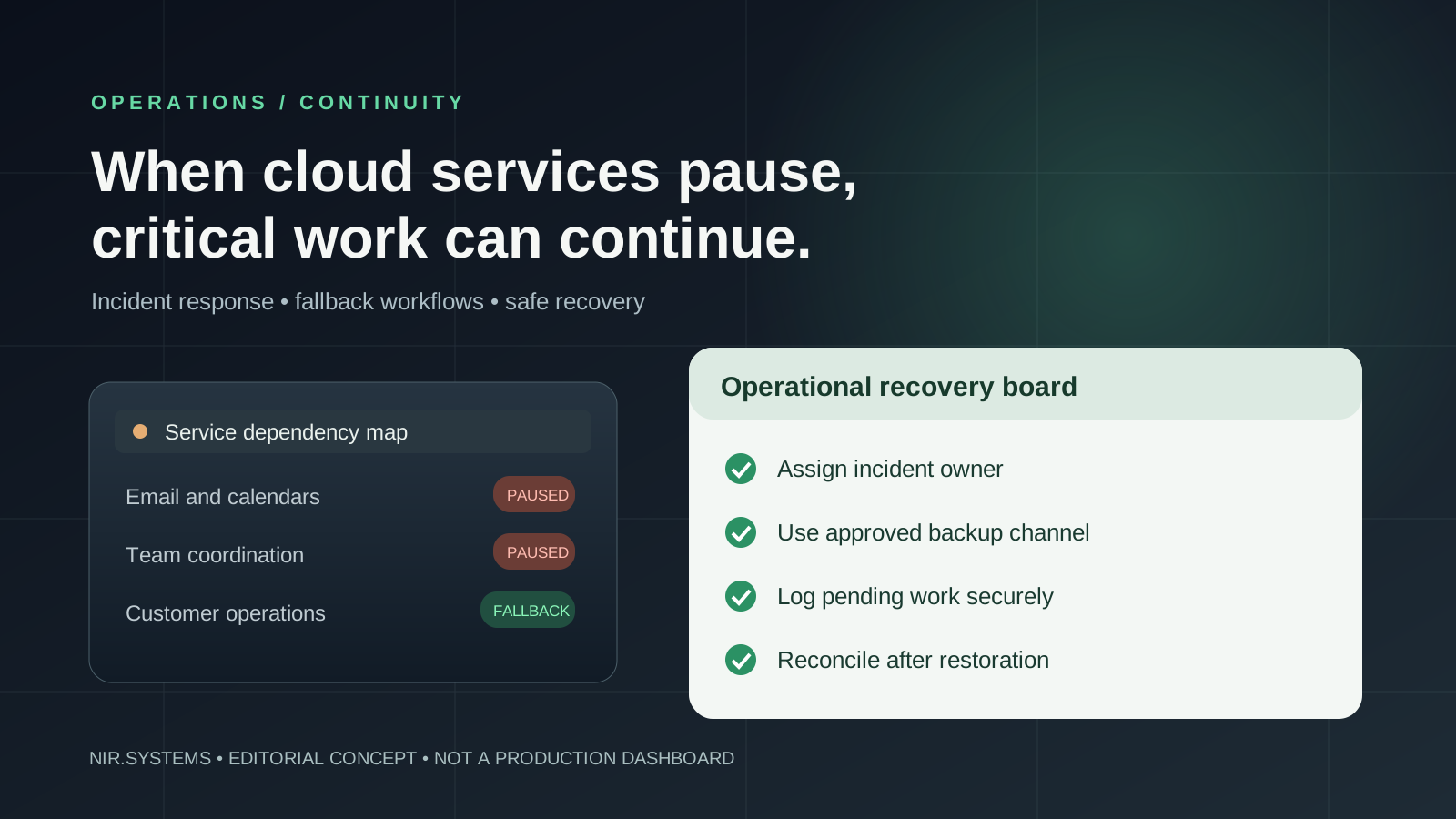
When Outlook email stops sending and calendars stop synchronizing, a small business can lose more than messages. Customers cannot reach the right person, dispatchers cannot find appointments, and managers cannot verify approvals. The November 2026 Microsoft 365 disruption is a useful reminder: a business continuity plan should describe exactly how essential work continues when a major cloud service is unavailable.
This is a post-incident operations guide, not a live outage tracker. It focuses on decisions that a business owner can make now: identifying dependencies, retaining authorized access to critical information, choosing fallback channels, and rehearsing recovery. A small firm does not need an enterprise disaster-recovery department, but it does need a named person who can decide what happens next.
What happened during the November 12–13 Microsoft 365 outage?
On November 12, 2026, users reported failures connecting to Outlook and related Microsoft 365 services. Microsoft incident messages collected by the University of Pennsylvania described Exchange Online access problems affecting several connection methods, including Outlook on the web, MAPI, Exchange ActiveSync and APIs. The service incident began at approximately 16:08 UTC on November 12 according to that administrative incident record. Affected organizations also reported disruption to functions that relied on Microsoft email and related services.
The breadth of the impact matters more to continuity planning than any single app name. When mailbox authentication or a shared service fails, automated notifications, customer confirmations, calendars and approvals may all fail together. The Associated Press reported widespread access problems on November 12, while technical monitoring by ThousandEyes found Outlook availability had largely recovered by 14:00 UTC on November 13 for the paths it measured. Recovery times were not necessarily identical for every tenant or service.
By November 16, reporting on Microsoft's preliminary investigation described interacting factors: a previously latent defect, networking gateway difficulties and reduced server capacity. Microsoft had described the incident as resolved, and institutions such as the London School of Hygiene & Tropical Medicine reported normal service again. The preliminary findings are summarized in The Guardian's November 16 report. Do not treat an early incident analysis as a complete guarantee that every underlying risk has disappeared.
For a company's own incident, consult the service-health area in its Microsoft 365 administrator account, capture the incident identifier and time, and record the affected services. Public reports provide context; your tenant's symptoms and successful recovery tests determine when to resume production.
Map the single points of failure before buying another tool
A useful first exercise is a dependency map: list each critical business outcome, the staff member responsible, the application it depends on, and the data needed to complete it. Then ask what happens if Microsoft 365 is unavailable for four hours, one working day or longer. Avoid stopping at the answer “we will use WhatsApp.” That might move a conversation but not preserve a quotation, customer consent or the correct version of a document.
| Business workflow | Potential dependency | Approved temporary alternative | Recovery check |
|---|---|---|---|
| Customer enquiries | Outlook inbox, mail routing, automated notifications | Pre-approved secondary channel with identity verification | Reconcile unanswered and duplicate conversations |
| Job scheduling | Shared calendars and meeting invites | Current authorized schedule export plus dispatch owner | Compare changes with the restored calendar |
| Quotes and approvals | Email attachments, shared documents, sign-off workflows | Controlled local templates and written temporary approval log | Confirm amounts, versions and approval history |
| Field service | Mobile notifications and cloud file access | Approved offline job list and secure capture procedure | Upload work evidence and resolve conflicts |
Be especially alert to hidden coupling. Your CRM may technically remain online yet fail to send messages because its outbound email uses Microsoft 365. A booking form may capture a customer request but never alert the assigned employee. An “independent” backup system can be ineffective if its login requires the same identity provider that is down. Document those secondary dependencies.
Design a minimum viable business continuity plan
1. Define critical processes and human decision owners
Rank the activities that protect customers, safety, contracts and cash flow. For each one, nominate a primary owner and deputy. Give the owner authority to activate a pre-approved alternate channel, communicate a delay, or pause a risky process. Do not allow unassigned staff to improvise with personal accounts and uncontrolled copies of customer information.
2. Set realistic recovery targets: RTO and RPO
Recovery Time Objective (RTO) is the target period before a process must be working again. Recovery Point Objective (RPO) is the acceptable amount of recent data that might need reconstructing. These are business decisions, not uptime promises from a developer. A field team may need its next-day job schedule within an hour, while a low-priority marketing report can wait until the next morning. A process with no acceptable loss of approvals needs a much stricter record-preservation method than an internal draft note.
Write down both targets and test whether the proposed fallback can actually meet them. If a team only exports tomorrow's schedules once a week, its continuity process cannot reliably recover yesterday's booking changes.
3. Prepare authorized data access and a communication tree
Maintain encrypted or otherwise properly protected exports of the minimum critical records required to operate. Select a retention and refresh frequency based on how often the records change. Test that the authorized people can open the backup without relying on the unavailable service. Sensitive data still needs role-based access, secure storage and deletion rules; an outage is not permission to send confidential files to personal mailboxes.
Create a short contact tree that identifies staff, customer-facing spokesperson, suppliers and priority accounts. Agree on a secondary messaging or telephony method before the event. Templates should explain the actual affected process and next update time without speculating about the provider's root cause or promising an unsupported restoration time.
4. Test fallback workflows as complete transactions
A backup checklist is only useful if the team can complete a task end-to-end: receive the enquiry, verify identity, assign the owner, record the decision, and communicate the outcome. Test with non-sensitive or explicitly approved data. Run one scenario in which mail is unavailable, another in which cloud files cannot be retrieved, and a third in which the main administrator is unreachable.
During the exercise, record minutes to activate the fallback, who was blocked, whether an alternate system needed the same identity service, and how many items required later reconciliation. Treat failures as findings to fix, not employee mistakes to hide.
A practical 48-hour business continuity checklist
This is a preparation schedule for a small team, not a claim that any real outage can be resolved in 48 hours. Adapt it to your operating hours, regulatory obligations and contractual requirements.

When a live incident occurs, start with detection and scope: confirm actual symptoms and check the provider's service status. Activate only approved fallbacks. Track the timestamp, actor, customer reference and actions for each temporary record. After restoration, reconcile duplicate requests and conflicting updates before switching off manual controls.
Design more resilient custom workflows—without promising zero downtime
Custom software can reduce avoidable dependencies, but it cannot guarantee Microsoft uptime or remove every failure mode. The design goal is controlled degradation: a failure in one service should not automatically prevent staff from seeing job priorities, recording customer approvals or producing the information needed for safe operations.
Practical controls include a local queue for authorized offline capture, an outbox that retries notifications safely, idempotent operations that prevent duplicate bookings when connectivity returns, and visible failure states rather than silently dropping transactions. Critical write operations should carry unique identifiers and audit timestamps. When records conflict, the system should flag them for a human decision rather than assuming the last upload is correct.
For example, a field-service application might allow a supervisor to view an approved day's assignments and collect signed completion evidence while temporarily offline. Once connectivity is restored, it can synchronize the record, show rejected uploads and flag changes requiring review. That is a scoped design pattern, not a claim that an existing NIR product automatically offers these capabilities.
Build monitoring around business outcomes, not just server health. A green dashboard does not help if appointment confirmation messages have stopped sending. Track delivery failures, items stuck in a queue, unacknowledged critical requests, export age and the length of the recovery backlog. Test restoration and reconciliation as thoroughly as fallback activation.
Business continuity management software: build versus buy
For many small teams, the right initial purchase is no purchase at all: a documented operating procedure, tested contact list, exported information and clear ownership can address the most immediate risk. Dedicated business continuity management software becomes useful when multiple departments, sites, risk assessments and recurring exercises need to be coordinated and audited.
Consider off-the-shelf workflow software when the process is common and the vendor supports your data-export, role-control and integration needs. Consider focused industry software when ordinary tools make specific job records or handoffs difficult to manage. Consider custom development when requirements such as offline operation, unusual approval paths, customer evidence, conflict reconciliation or regulated access cannot be achieved credibly with existing systems.
Ask every vendor—including a custom developer—how the application behaves when email, identity, storage or payment services fail. Request a demonstration of failed sends, data exports, account access for a deputy and recovery after conflicting edits. Separate the promised feature from a tested implementation. Compare one-time development, hosting, maintenance, security controls and support responsibilities.
NIR.Systems develops focused industry software and scoped custom operational systems; its pricing information describes the engagement options. It is not a substitute for Microsoft 365 and does not sell an enterprise continuity guarantee.
Frequently asked questions
What should we do when Microsoft 365 and Outlook go down?
Confirm the outage against your tenant's service-health information, activate the documented response owner, use approved alternative channels for time-critical communications, log affected work securely, and reconcile it against the restored system. Avoid repeatedly sending the same messages without a duplicate-control process.
Should every small business buy business continuity management software?
No. Start with a simple plan that addresses real dependencies and is tested. Add specialized tooling only if complexity, evidence requirements or multi-site coordination justify the cost. An untested expensive platform can be less useful than a well-rehearsed procedure.
How do we protect customer workflows from a SaaS outage?
Map every dependency; maintain permitted access to essential data; provide a controlled manual or offline path; record pending actions; monitor failed notifications; and test reconciliation. Choose RTO and RPO targets for each process based on actual customer consequences.
Scope the one workflow that cannot afford to stop
If email, calendars or cloud dependencies interrupt a vital customer process, describe that process to NIR.Systems. We can discuss a focused workflow or industry-software scope, its ownership and fallback requirements, with no promise of zero downtime or Microsoft service availability.