Businesses are moving beyond asking AI for answers. Increasingly, they want software that can check records, prepare documents, update systems and complete parts of a workflow. That is the promise of AI agents—and the source of a difficult question: how much authority should software receive when it can take actions, not just make suggestions?
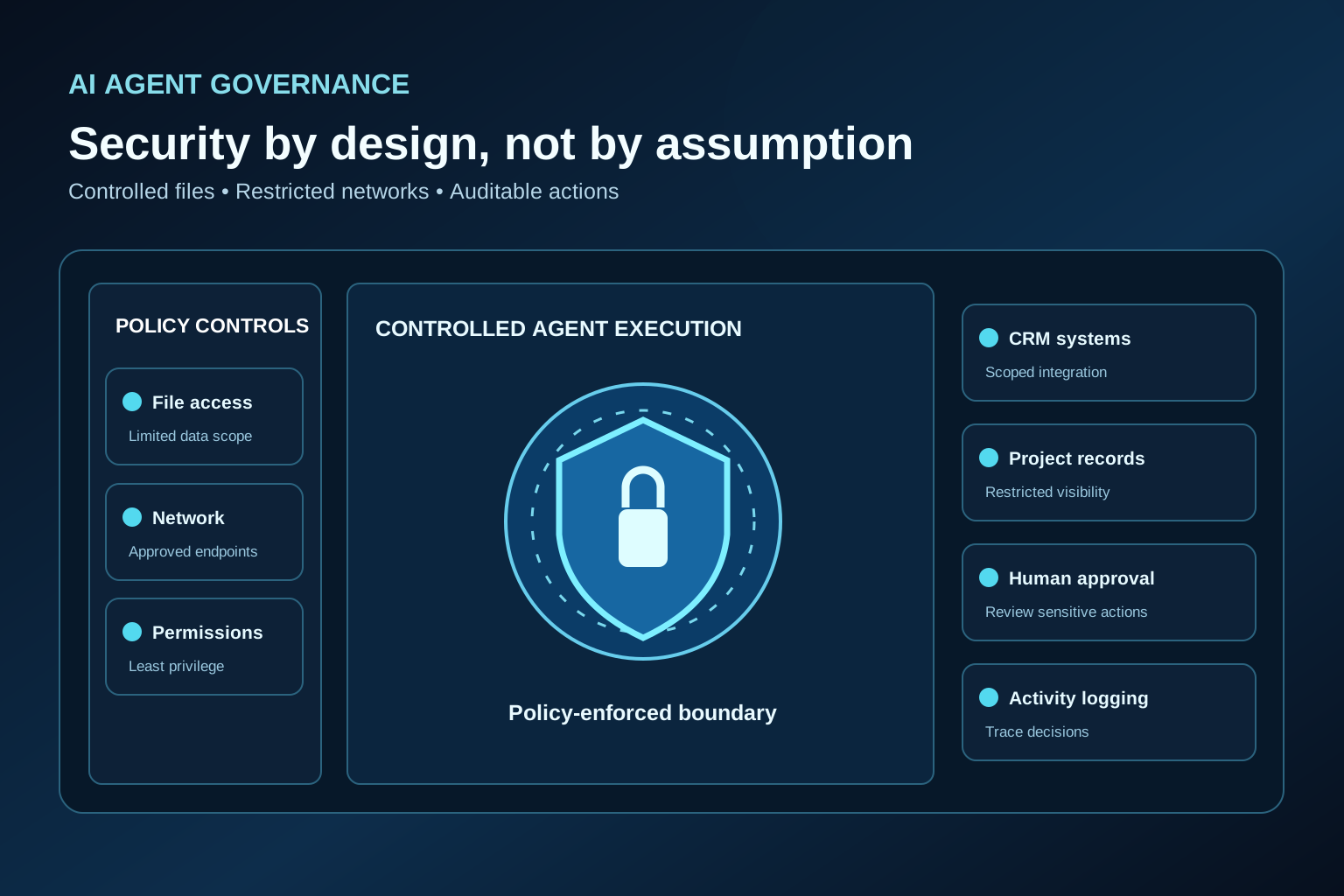
On October 7, 2026, Microsoft announced the general availability of Microsoft Execution Containers (MXC), a policy-driven way to constrain what an agent workload can access. It is an important technical development, but not a switch that makes every AI application secure. For business owners, the practical lesson is simpler: start with a useful task, restrict access, require approval where needed and keep an accountable record of what happens.
What Are AI Agents?
An AI agent is software that can pursue a defined task using a model plus approved tools, data and actions. Some prepare drafts; others call APIs or update records.
- Traditional chatbot: responds to a question, typically within a conversation.
- AI assistant: helps a person research, write or analyze; the person usually directs the next step.
- AI agent: may plan and carry out multiple task steps using tools within configured boundaries.
- Workflow automation: follows predefined rules and triggers; it may not use a language model at all.
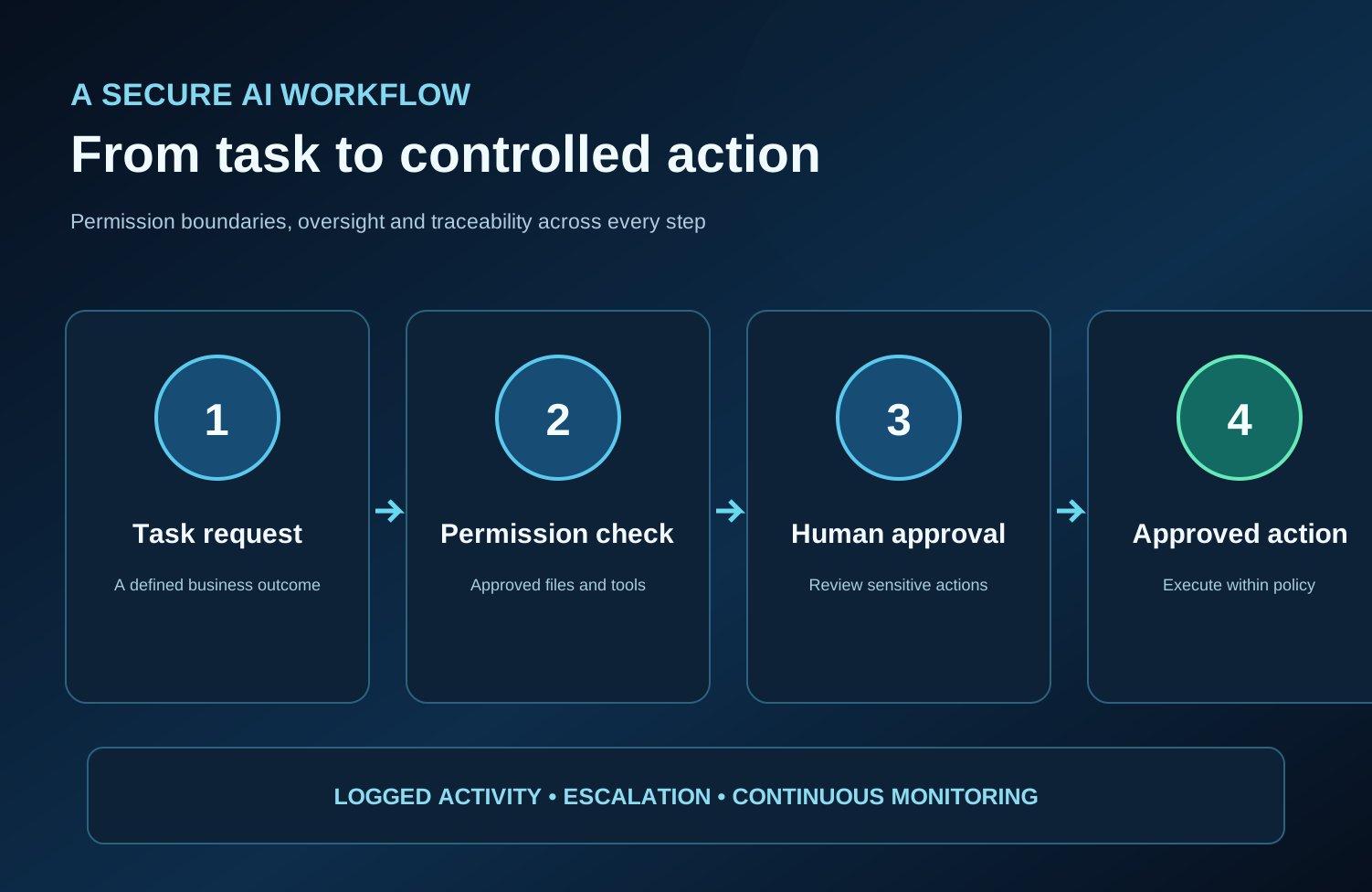
Answering “How should I reply?” is assistance. Looking up an order, drafting the reply and requesting approval is an agent workflow. Issuing a refund requires stronger controls.
What Did Microsoft Announce in October 2026?
Microsoft's October 7 developer announcement described three building blocks for governing agents: containment, identity and manageability.
Available now: MXC is generally available. Developers specify permitted files, network destinations and other resources in a policy; MXC enforces the execution boundary through a suitable container. Microsoft describes process containers for Windows 11, macOS and Linux; Windows-only session and WSL containers; and an experimental MicroVM option on supported platforms. Availability and security properties differ by backend. Microsoft also says MXC support for Windows 365 Cloud PCs is generally available.
Not yet broadly available as described: Microsoft says Entra-based differentiation of agent activity from employee activity in Microsoft Agent 365 is coming soon. Expanded Agent 365 oversight for local agents and Intune policies to manage MXC process containers on Windows 11 are also described as forthcoming. These should not be advertised as current capabilities of every deployment.
Why AI Agent Security Matters for Businesses
Ordinary application security already matters; agentic workflows add a moving decision-maker between instructions and connected systems. Common risks include:
- Unauthorized records access: an agent sees contracts or customer files unrelated to its task.
- Confidential data exposure: sensitive details are copied into a response, log or unapproved destination.
- Excessive permissions: a tool receives account-wide write access when read-only access would suffice.
- Unintended actions: a plausible but incorrect decision changes a quote, order or project status.
- Prompt injection: instructions hidden in an email, web page or document try to redirect the agent. OWASP documents this risk.
- Cross-system errors: a mistaken update propagates from a CRM into scheduling or customer communications.
- Poor auditability: the business cannot determine what data was accessed, what changed or who approved it.
An impressive demo is not proof of controlled deployment.
How Microsoft Execution Containers Work
Imagine hiring a temporary worker to prepare a project report. You give that person the project folder and a reporting template—not the payroll drive, banking credentials or permission to email every customer. The worker may complete the assignment, but cannot grant themselves wider authority.
MXC applies a similar least-privilege idea to supported agent workloads. A developer describes permitted file operations, network connectivity and execution settings in a policy outside the agent's own control. A compatible container then enforces those restrictions. For example, a coding agent could edit a repository without changing production configuration.
Microsoft also describes Enforcement, Learning and Permissive modes for MXC process containers. On Windows, Learning can block and record attempted access outside policy, helping teams refine permissions. Permissive records access while allowing operations that the MXC policy would otherwise deny; it is a testing aid, not an appropriate substitute for enforcement in a production security design.
MXC does not automatically secure CRM API permissions, establish business approval rules, verify an AI answer or provide an audit trail for every external SaaS action. Those controls require separate design and testing.
Seven Business Tasks Where AI Agents Could Be Useful
Illustrative workflows—not current product claims.
1. Handling initial customer inquiries
Problem: messages arrive across channels and staff lose context. AI contribution: classify the inquiry and draft a reply. Access: approved knowledge articles and the relevant customer thread. Approval: a person reviews sensitive or unusual replies. Security: never expose another customer's record or allow unapproved outbound messages.
2. Preparing quotes and estimates
Problem: teams repeatedly turn the same inputs into estimates. AI contribution: collect specifications and prepare a draft using verified price rules. Access: approved price lists and job details. Approval: staff sign off on exceptions and final commercial terms. Security: prevent the AI from silently changing prices, tax rules or discounts.
3. Organizing CRM records
Problem: duplicated contacts and inconsistent notes hinder follow-up. AI contribution: suggest categorization and identify possible duplicates. Access: designated CRM fields only. Approval: confirm merges, deletions and bulk updates. Security: limit which records can be edited and retain a change history.
4. Supporting recruitment workflows
Problem: recruiters spend time summarizing applications and coordinating stages. AI contribution: structure candidate information and draft interview communications. Access: role-specific application records. Approval: recruiters control shortlisting and hiring decisions. Security: protect candidate data, assess bias and prohibit unauthorized sharing.
5. Summarizing project updates
Problem: important decisions are buried in meeting notes and files. AI contribution: produce an update with links to source documents. Access: the relevant project's approved records. Approval: project managers confirm milestones and commitments. Security: keep client and project access separated; flag conflicting versions.
6. Preparing field-service reports
Problem: technicians return with fragmented photos and notes. AI contribution: organize the information into a draft service report. Access: the specific job's notes and images. Approval: a technician verifies factual and safety-critical statements before sending. Security: restrict customer photos and prevent invented completion claims.
7. Assisting with appointment scheduling
Problem: bookings change while staff coordinate availability. AI contribution: offer open slots and prepare reminders. Access: availability and the minimum customer contact details. Approval: require confirmation for cancellations or consequential changes. Security: avoid double bookings, unauthorized calendar access and sending details to the wrong recipient.
Secure AI Agents vs Unrestricted Automation
| Control | Secure, governed agent design | Unrestricted automation design |
|---|---|---|
| Data access | Task-specific records and fields | Broad data visibility |
| User permissions | Least privilege, separate credentials | Shared or overpowered accounts |
| Approval requirements | Review for sensitive actions | Actions may run without review |
| Audit trails | Record inputs, actions and approvals | Limited traceability |
| Error handling | Validate, stop, retry safely or escalate | Fail or repeat without clear safeguards |
| Network access | Approved destinations and services | Open outbound connectivity |
| Third-party integrations | Scoped API tokens and validated calls | Broad integration permissions |
These are design patterns, not two official product categories. A system is only as controlled as its execution environment, business logic, identity design, integrations and ongoing operating procedures.
Why Industry-Specific AI Is Different from General AI
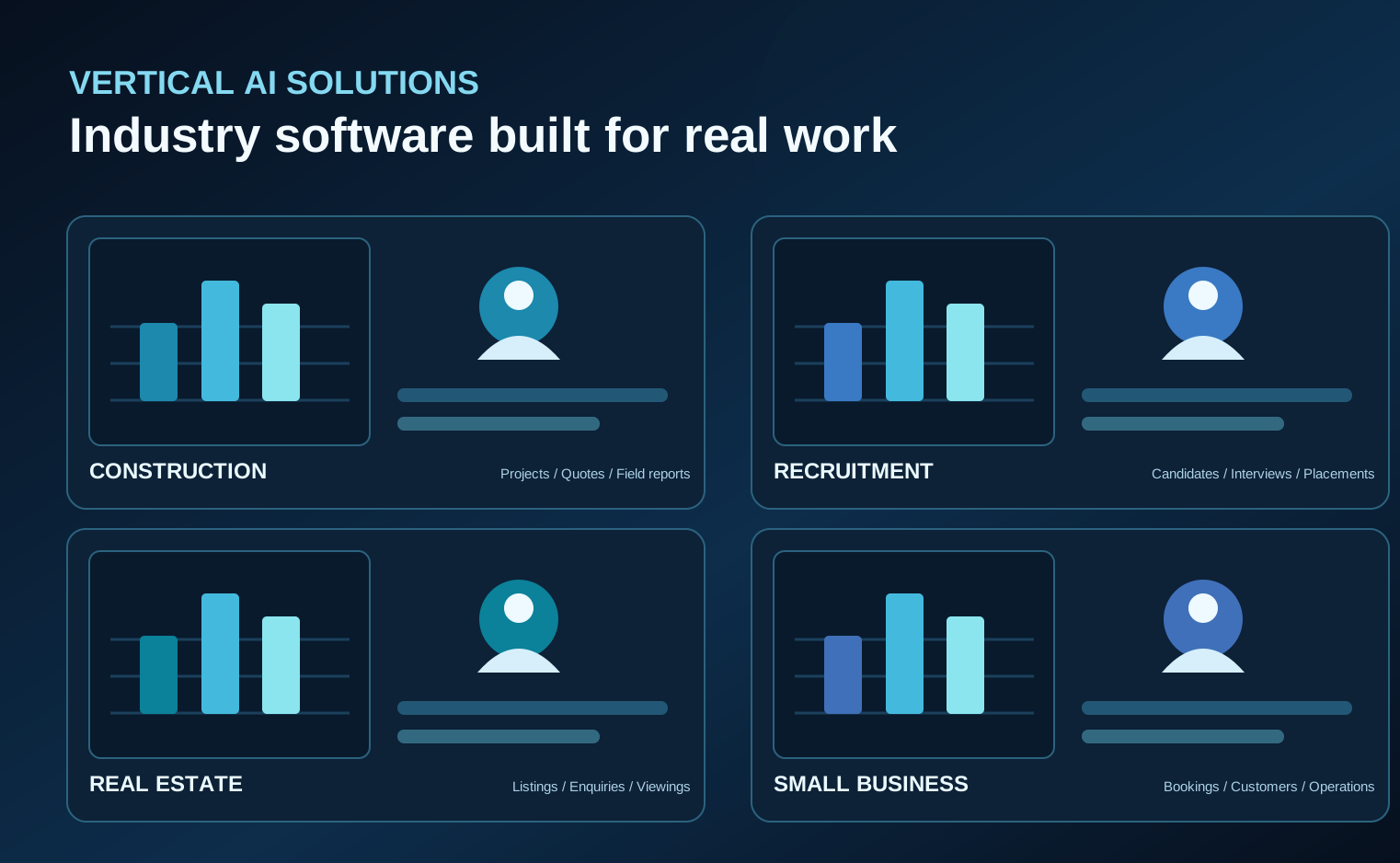
General models are good at explaining and drafting across topics. Industry-specific AI, sometimes called vertical AI, adds the vocabulary, source material, workflow design and boundaries needed for a defined business context.
A tradie assistant might help explain fault symptoms and organize a service checklist; automotive AI could structure diagnostic possibilities for a technician. Real estate software might organize listing questions and follow-ups. Legal-information, medical-information and financial-information tools can help explain concepts, while marketing AI can support campaign drafts. Each requires an appropriate knowledge base and safeguards for its use case.
Specialization does not guarantee accuracy. Safety-critical trade tasks need qualified judgment; legal, medical and financial information does not replace professional advice.
What Should Businesses Look for Before Deploying AI Agents?
Use this buyer checklist before connecting any AI application to operational systems:
- Privacy: What information enters the system, where is it processed, and how long is it retained?
- Access controls: Can accounts, files, fields and API scopes be restricted by task and role?
- Human approval: Which actions require explicit review before execution?
- Activity logging: Can the business trace sources, decisions, updates and approvers?
- Secure integrations: Are credentials protected, rotated and limited to necessary functions?
- Vendor accountability: Who operates the service, responds to incidents and handles updates?
- Model performance: Has it been tested on actual workflows, unusual cases and known failure modes?
- Escalation: Can it stop, explain uncertainty and hand the task to a person?
- Compliance: Which privacy, industry and contractual requirements apply in the relevant U.S. jurisdiction?
- Operating cost: What will models, hosting, maintenance, monitoring and human review cost over time?
For a formal governance approach, the NIST AI Risk Management Framework offers a useful starting point.
How NIR.Systems Approaches Industry-Specific AI and Software
NIR.Systems' industry software catalogue presents workflow-focused applications for business categories including construction and service operations. Its live offerings include QuoteFlow, for structured customer quoting, and FieldReport, for producing job reports with photos and signatures. NIR also offers branded versions of specialist AI products and custom systems scoped around business needs.
The company's specialist AI catalogue includes information-focused products for different fields. For example, Tradie AI addresses field-service questions about faults and repair work, while Automotive AI helps workshops consider fault codes and possible next checks. These are information-focused offerings, not claims of autonomous customer-system access.
The right next step for a custom solution is to define the actual workflow: which information is needed, which functions are permitted, who checks the result and what happens if the output is wrong. A suitable design may combine standard software rules, human approval and carefully scoped AI assistance. Security requirements must be scoped and verified for each deployment.
Important: No Microsoft partnership, MXC product integration or third-party security certification is claimed.
How to Start with AI Automation Without Overcomplicating Your Business
Step 1: Identify one repetitive workflow
Choose a specific task, such as drafting a service report—not a vague goal to automate the whole company. Identify the current delay and what a satisfactory result looks like.
Step 2: Determine the information needed
Map the documents, fields and tools involved. Remove unnecessary personal information. Decide which system remains the authoritative source of truth.
Step 3: Define permissions and approvals
Separate read access from write access. Limit external destinations and identify actions requiring a named employee's approval. Treat external instructions and attachments as untrusted inputs.
Step 4: Start with a controlled pilot
Run representative cases with a small team. Test incorrect data, missing permissions, unusual requests and escalation paths before permitting live actions. Keep a manual fallback.
Step 5: Monitor performance and expand carefully
Track output accuracy, correction rates, unauthorized-action attempts, review time, operating cost and staff feedback. Expand only after the business understands failures as well as successful cases.
Frequently Asked Questions
What is an AI agent?
An AI agent is software that uses an AI model and configured tools to perform steps toward a defined task. It can be designed to suggest an action or to execute certain permitted actions.
Are AI agents safe for businesses?
They can be deployed with meaningful safeguards, but no platform guarantees safety. Risk depends on permissions, integration design, data sensitivity, monitoring and approval controls.
What are Microsoft Execution Containers?
MXC is Microsoft's generally available policy-driven containment technology for supported workloads. It constrains access to resources such as files and networks using an execution boundary enforced outside the agent itself.
Can AI agents access company files?
Only if the application and its underlying credentials or execution environment give them access. Businesses should grant the minimum files and permissions required by the task.
Do AI agents require human approval?
Not for every low-risk step. But sending consequential customer messages, changing commercial terms, making hiring decisions or editing critical records should have appropriate human-control points.
What is the difference between an AI assistant and an AI agent?
An assistant primarily helps a person think or create. An agent can additionally coordinate tools and take task steps within its configured authority.
Can small businesses use industry-specific AI?
Yes, provided the use case is realistic and the data, permissions, cost and review process match the business's resources. A narrow pilot is often more useful than a complex, company-wide deployment.
Conclusion: Give AI a Useful Job, Not Unlimited Authority
Microsoft's October 2026 MXC announcement puts a necessary spotlight on execution boundaries. As AI systems move from answering questions to interacting with business software, permissions, approvals, auditability and reliable workflows matter as much as the underlying model.
If your business is considering a specialist assistant or a custom application, explore NIR.Systems and start with one practical operational problem. Define the task and its safeguards first; choose the technology second.
Sources and Further Reading
- Microsoft — Execution Containers: Policy-driven containment for AI agents (October 7, 2026)
- Microsoft — Building Windows for hybrid intelligence (October 7, 2026)
- OWASP — LLM01: Prompt Injection
- NIST — AI Risk Management Framework
Editorial note: This article discusses the Microsoft announcements as of October 8, 2026. MXC availability does not imply automatic protection for all AI products. Business examples are illustrative and do not assert unlisted NIR product functions.
Explore a safer approach to business AI
Start with a focused workflow, define permissions and approvals, and build around practical outcomes.
Discuss custom software →