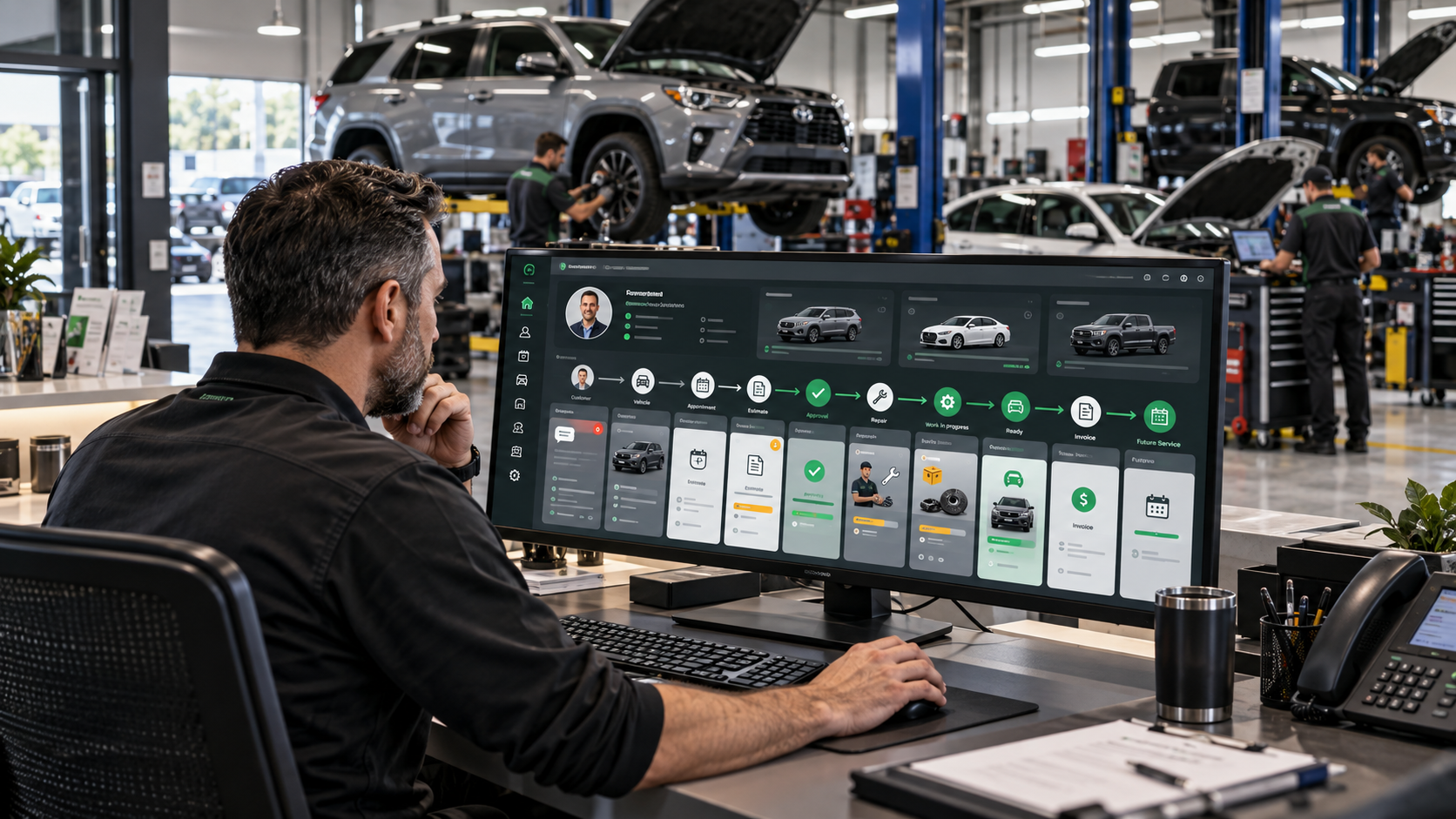
Auto repair CRM software is different from a generic sales CRM because a repair shop is not managing a simple contact-to-sale relationship. The customer may own multiple vehicles. Each vehicle has its own mileage, repair history, inspection findings, declined work, estimates, repair orders and future maintenance needs. The system has to understand those relationships or it becomes little more than an address book.
That is also why CRM and shop-management software increasingly overlap. Tekmetric describes modern shop management as a connected workflow from estimate through repair and payment. AutoLeap’s automotive CRM centers every customer, vehicle, service and interaction in one record, while Shopmonkey’s current platform connects appointments, estimates, digital inspections, repair orders, invoices and customer communication.
The practical buying question is therefore not simply, “Does this software have CRM?” It is: Can the system follow the real life of a customer and vehicle through the shop without forcing staff to re-enter information or hunt through disconnected tools?
Open one customer record. Can you immediately see their vehicles, what they asked for, what was recommended, what they approved, what they declined, what was repaired, what they paid and what should happen next?
1. Customer and vehicle records must be linked
The basic object in a repair-shop CRM is not just the customer. It is the relationship between the customer and one or more vehicles.
A useful customer record should connect:
- customer contact details,
- preferred communication method,
- all associated vehicles,
- vehicle year, make, model and VIN where used,
- current or last recorded mileage,
- service and repair history,
- previous estimates and repair orders,
- declined or deferred work,
- communication history,
- invoices and payment status, and
- future service or follow-up reminders.
If a customer returns six months later, the service advisor should not have to reconstruct the relationship from paper invoices, personal text messages and memory.
2. Capture the original customer concern clearly
A CRM should preserve the customer’s own concern before that concern becomes a diagnosis or estimate.
Examples:
- “Grinding noise when braking at low speed.”
- “Check-engine light came on yesterday.”
- “Air conditioning stops cooling after 20 minutes.”
- “Vehicle shakes above 60 mph.”
That customer statement should remain visible as the job progresses. The technician’s finding belongs in a separate field. Keeping the two distinct reduces confusion and gives the shop a clean record of what the customer originally reported versus what was actually found.
3. Use a service pipeline instead of a generic sales pipeline
A normal CRM might use stages such as “lead,” “qualified,” “proposal” and “won.” An auto repair CRM needs stages that reflect workshop reality.
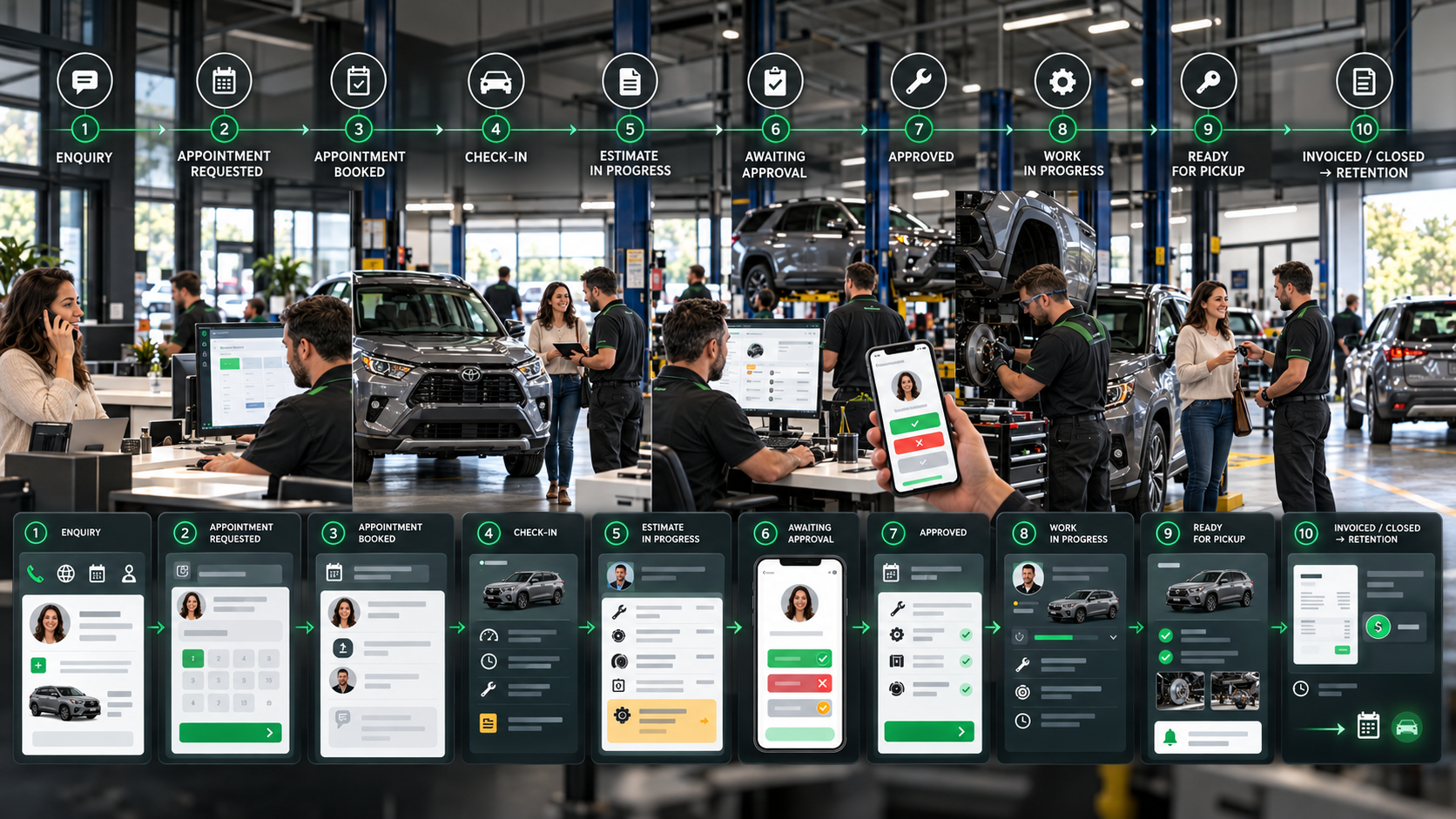
A practical service pipeline might look like:
New enquiry → Appointment requested → Appointment booked → Vehicle checked in → Estimate in progress → Awaiting approval → Approved → Work in progress → Ready for pickup → Invoiced → Closed
The exact stage names can vary, but each stage should tell the front desk what is happening and what is blocking the job.
| Stage | What the team should know |
|---|---|
| Appointment requested | Customer, vehicle, concern and preferred date are captured. |
| Vehicle checked in | Keys, mileage, authorization and customer expectations are recorded. |
| Awaiting approval | The customer has received the estimate but work is not yet authorized. |
| Work in progress | Approved jobs are assigned and moving through the shop. |
| Ready for pickup | Repairs are complete and the customer needs to be notified or arrive. |
The pipeline should reduce “Where is that car?” conversations at the counter.
4. Estimates and repair orders should flow together
One of the clearest signs of a fragmented system is retyping the same repair twice: once into an estimate and again into a repair order.
A connected auto repair CRM should let the estimate become the approved job without losing:
- customer concern,
- vehicle information,
- labor operations,
- parts,
- inspection findings,
- notes and photos,
- approval status, and
- customer communication.
AutoLeap’s current estimate workflow, for example, explicitly moves approved estimates into repair orders without re-entry. Tekmetric likewise positions the digital repair order as the backbone of the connected shop workflow.
5. Customer approvals need to stay attached to the job
When an estimate is sent, the shop needs a clear record of what the customer approved, declined or deferred.
A good system should preserve:
This matters operationally as much as commercially. The technician needs to know the authorized scope. The service advisor needs to know what remains open. The customer needs the final invoice to match what was agreed.
6. Keep customer communication inside the relationship record
Repair shops communicate constantly: appointment confirmations, inspection updates, estimate approvals, parts delays, pickup notices and post-service follow-up.
If those messages live on personal phones or in separate inboxes, context disappears when another employee takes over.
Current platforms increasingly connect communication directly to the customer and repair record. Tekmetric’s messaging tools, for example, allow staff to open the customer profile, appointments and active repair orders from the same communication workflow. The key principle is more important than the vendor: the conversation should remain part of the customer history.
7. Declined work should not disappear
One of the most valuable pieces of data in a repair shop is work that was recommended but not approved.
Examples include:
- brakes approaching replacement,
- tires due soon,
- a maintenance service postponed,
- a leak the customer chose to monitor, or
- secondary repairs postponed because of budget.
A CRM should keep that deferred work connected to the specific vehicle and make it visible when the customer books again.
AutoLeap’s current CRM specifically treats deferred service as part of the retention workflow, surfacing declined jobs later rather than letting them vanish after the original estimate.
8. Appointments need customer, vehicle and job context
A calendar entry that says “John — 9:00 AM” is not enough.
The appointment should connect to:
- the customer,
- the correct vehicle,
- the reported concern or requested maintenance,
- expected drop-off or waiting status,
- assigned advisor where relevant,
- estimated shop time where known, and
- any previous deferred work worth discussing.
Shopmonkey’s current scheduling workflow, for example, keeps customer, vehicle, order and assigned-technician information accessible from the appointment. That is the level of context a repair-shop system should aim for.
9. The CRM should support the front counter and the bay
A system can look excellent to the owner and still fail if service advisors and technicians avoid using it.
Different roles need different views.
| Role | What should be immediately visible |
|---|---|
| Service advisor | Customer, vehicle, appointment, concern, estimate, approval status and communication history. |
| Technician | Assigned work, concern, approved scope, inspection items, notes, parts status and promised time. |
| Shop manager | Open jobs, bottlenecks, approvals, car count, revenue, workload and jobs waiting for action. |
| Owner | Shop performance, customer retention, sales, average repair order, declined work and operational trends. |
The CRM should not make every employee navigate the same giant dashboard.
10. Parts status should be connected to the repair order
A repair can be approved but still unable to move because a part is not available.
At minimum, the system should make it clear whether a part is:
- not yet ordered,
- ordered,
- backordered,
- received, or
- allocated to the job.
The goal is not necessarily to turn every CRM into a full warehouse-management system. It is to make sure the service pipeline reflects why a job is waiting.
11. Invoicing should complete the same record
Once work is complete, the invoice should close the loop rather than start another disconnected process.
The completed customer/vehicle record should preserve:
- what the customer requested,
- what was inspected,
- what was approved,
- what work was performed,
- parts and labor charged,
- payment status,
- remaining declined recommendations, and
- future follow-up.
This creates a far stronger history for the next visit than an invoice PDF sitting alone in a folder.
12. Retention should be based on real service history
The “CRM” part becomes most visible after the repair is finished.
Useful retention workflows include:
- maintenance reminders based on service history,
- follow-up on declined work,
- post-service thank-you messages,
- review requests,
- seasonal service campaigns, and
- reactivation of customers who have not returned.
The important point is relevance. A customer who replaced their brakes last month should not receive a generic “you may need brakes” campaign because the CRM and service history were disconnected.
13. Reporting should answer operational questions
A repair-shop dashboard should help managers run the shop, not simply produce attractive charts.
Useful questions include:
Shopmonkey’s current reporting, for example, exposes open estimates and repair orders alongside customer, vehicle, service-writer, workflow status and order values—an example of reporting tied to action rather than vanity metrics.
Auto repair CRM vs shop management software
These terms overlap enough that buyers should focus on workflow rather than labels.
| Area | CRM emphasis | Shop-management emphasis |
|---|---|---|
| Customer history | Core | Core |
| Vehicle history | Core in automotive CRM | Core |
| Follow-up & retention | Core | Often included |
| Estimates | Often connected | Core |
| Repair orders | Often connected | Core |
| Technician workflow | Usually secondary | Core |
| Parts & inventory | Usually secondary | Often core |
| Invoicing & payments | Often connected | Core |
For an independent repair shop, buying a standalone contact CRM and then trying to bolt it onto the workshop later often creates more integration work than value. A purpose-built automotive system should understand the relationship between customer, vehicle and repair workflow from the start.
A practical Auto Repair CRM workflow
- Enquiry arrives. Customer, vehicle and concern are captured.
- Appointment is booked. The vehicle and requested work remain attached to the customer record.
- Vehicle is checked in. Mileage, concern and authorization details are confirmed.
- Inspection or diagnosis is recorded. Technician findings remain distinct from the original customer complaint.
- Estimate is created. Recommended work, parts and labor are presented.
- Customer approves or declines. Authorization history is preserved.
- Approved work becomes the repair order. The shop does not retype the job.
- Job moves through the workshop. Technician progress, parts status and promised time remain visible.
- Customer receives updates. Communication stays attached to the record.
- Invoice closes the job. Completed work and payment status become part of the vehicle history.
- Declined work remains open for future follow-up.
- The CRM creates the next relationship action. Maintenance, review request, deferred service or future reminder.
Every active vehicle should have a current status, every customer should have a complete history, and every unfinished opportunity should have a next action.
Auto Repair CRM buyer checklist
What to avoid
Warning signs include:
- customer and vehicle history stored in separate unlinked places,
- estimates that must be retyped into repair orders,
- text messages that disappear into employees’ personal phones,
- declined work that cannot be surfaced later,
- pipeline stages that do not match the shop’s real process,
- dashboards that show metrics but not jobs requiring action,
- technician interfaces that require unnecessary office-style data entry, and
- customer information that is difficult to export if the shop changes systems.
Where NIR.Systems Auto Repair CRM fits
NIR.Systems offers a ready-made Auto Repair CRM designed around auto repair shops, mechanics and service centres. The current system brings together leads, service pipeline, estimates, repair orders, appointments, parts, vehicles and invoices in one workshop CRM.
The live product page includes an interactive demo with dashboard, service-pipeline and repair-job views. The standard build starts from $599, with a $199 deposit to start the project review. Branding and setup are included at the starting level, while additional features or integrations are scoped before build.
The CRM can also sit alongside specialist tools such as Pitwall Automotive AI. The roles should remain clear: the CRM manages operational customer and workshop history, while Automotive AI can assist with vehicle questions, diagnostic context and workshop information. For a deeper look at that AI side, see How Auto Repair Shops Can Use Automotive AI in Real Workflows.
Frequently asked questions
What is an auto repair CRM?
It is a customer and vehicle relationship system designed around repair-shop workflows. A useful system connects customer records, vehicles, appointments, estimates, repair orders, communication, declined work, invoices and future service follow-up.
Is auto repair CRM the same as shop management software?
They overlap heavily. CRM emphasizes customer relationships, communication and retention, while shop management adds deeper operational workflows such as estimates, repair orders, technicians, inspections, parts and invoicing. Many modern systems combine both.
What should a repair shop CRM track?
At minimum: customer, vehicle, concern, appointment, estimate, approval status, repair order, communication history, invoice, declined work and the next recommended follow-up.
Can a small independent shop benefit from a CRM?
Yes, particularly when customer history, vehicle history, follow-ups and declined work are becoming difficult to manage across paper files, phones, spreadsheets and separate apps. The system should remain simple enough for daily shop use.
Sources and further reading
- Tekmetric — What Is Auto Repair Shop Management Software?
- Tekmetric — Customer messaging, appointments and repair orders
- AutoLeap — Auto Repair Shop CRM
- AutoLeap — Estimate to repair-order workflow
- Shopmonkey — Appointments, inspections, estimates and invoices
- Shopmonkey — Open estimates and repair-order reporting
See the shop workflow before you buy it.
Open the live Auto Repair CRM demo, review the dashboard, service pipeline and repair-job flow, then have the system built with your own branding and data.