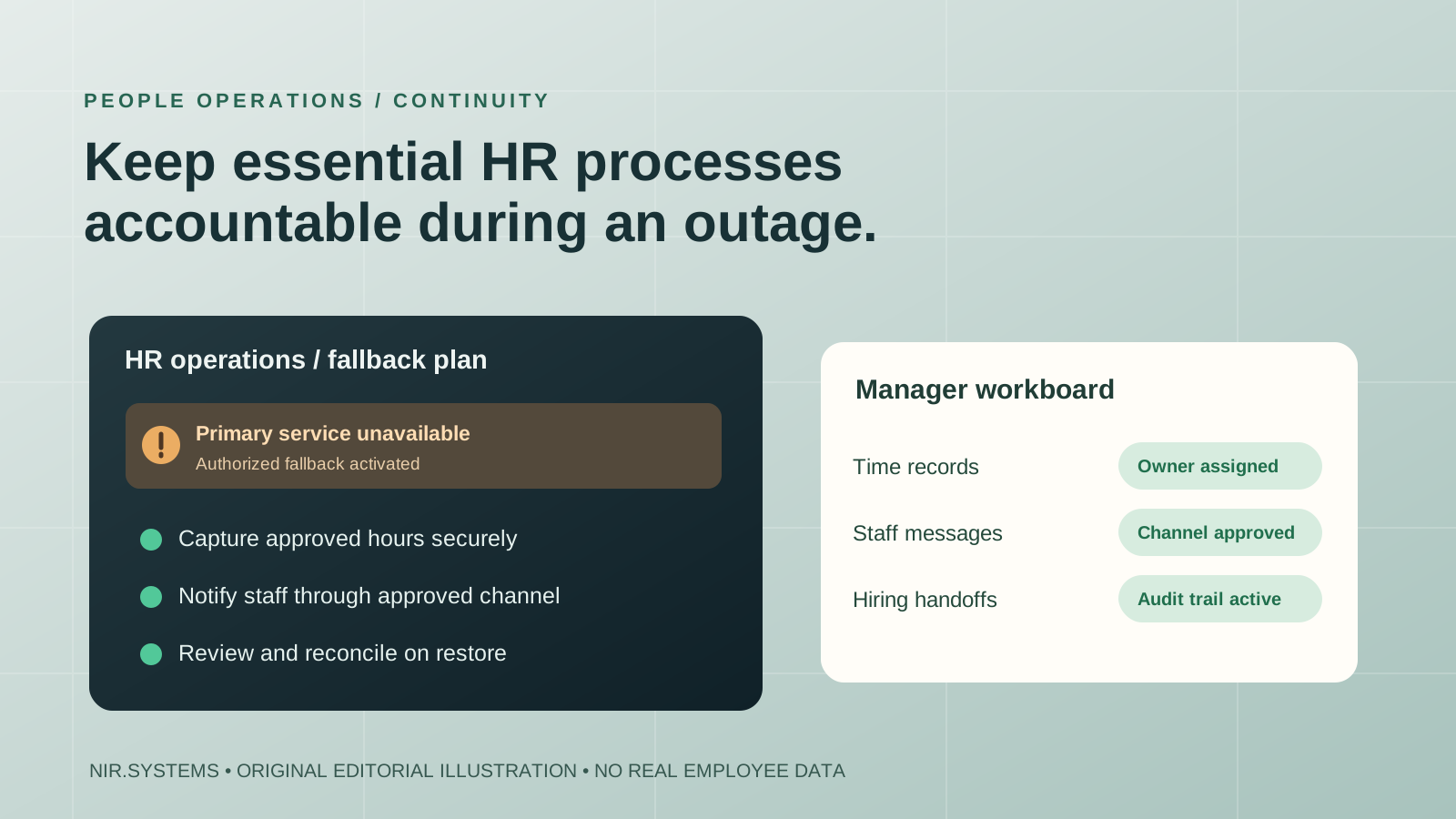
A human resources platform can be unavailable at exactly the wrong time: while employees need to record hours, managers are approving a shift, or a payroll deadline is approaching. The November 2026 Workday outage makes an important question worth asking: what should small business HR software and the processes around it do when the primary service cannot be reached?
The correct response is not automatically to replace an established HR system. It is to separate the essential workforce activities from the technology that normally delivers them, design controlled temporary procedures, and make reconciliation part of the plan. This guide explains the verified outage, the minimum capabilities to evaluate and the narrow areas where custom recruitment or operational software might help. It is not a Workday status feed or a claim that NIR.Systems offers an enterprise payroll replacement.
What actually happened in the November 13–14, 2026 Workday outage?
On Friday, November 13, 2026, customers reported that Workday systems were inaccessible, preventing some employees from logging in and completing tasks. Organizations including universities published service alerts as the interruption continued overnight. The San Francisco Chronicle reported that Workday placed affected systems into maintenance mode as it worked to restore service.
Contemporaneous coverage by UC Today described a disaster-recovery test that produced inconsistent production data and led to emergency maintenance for affected environments. Institutional incident messages also described maintenance affecting production tenants. Because vendors, customers and regions can observe different effects, that description should not be interpreted as proof that every Workday tenant or every function failed identically.
Workday said the disruption was not connected to a cybersecurity incident, according to coverage quoting its spokesperson. The company reported that service had been restored by 11 a.m. Eastern Time on Saturday, November 14. Institutions subsequently reported resolution, while some warned that synchronization between systems could take longer. A restored login page is therefore not enough to conclude that all pending time submissions, approvals or integrations have reconciled correctly.
The important lesson is operational: payroll inputs, time capture, people records and applicant processes often depend on a central service. A small company may use a different HR provider altogether, but it has essentially the same continuity problem when cloud access or a critical integration fails.
Which business functions become vulnerable?
Timekeeping and shift changes
Employees may need to clock in, clock out, request a correction or confirm a shift. When the normal interface is unavailable, somebody must decide how to record time accurately. A manager-approved paper or offline form may be appropriate, but it needs the employee's identity, work date, start and end times, break details where required, the recording person, and an explanation for later correction. Local labor law and employer policy still apply during downtime.
Payroll inputs and approvals
Most small organizations should not improvise payroll calculations in an untested spreadsheet. The interim goal is to preserve source time records, identify upcoming payroll cutoffs and communicate with the authorized payroll owner. If the payroll service or submission deadline is affected, the payroll team—not an unapproved custom app—must decide the correct mitigation, taking account of legal obligations, provider guidance and approval rules.
Access to employee information
Managers may need emergency contact information, job assignments or approved absence data. They typically do not need unrestricted access to salary, banking, identification or medical details. A continuity export should contain only what the specific authorized role requires. Protect encryption keys and credentials independently of any identity provider that might also be unavailable.
Hiring, candidate communications and onboarding
Recruiters can lose visibility of interviews, shortlists, outstanding candidate consent and offers when an applicant-tracking workflow is unavailable. A temporary tracker can support a narrow hiring process, provided candidate data is protected and access, retention, fair hiring and audit requirements remain intact. Reconcile each offer, stage change and communication after the primary system returns rather than creating a second permanent source of truth.
Minimum requirements for small business HR software
An HR purchase decision should begin with real tasks and failure modes, not a long feature checklist supplied by a vendor. Ask the manager responsible for each process to show how a routine record is created, approved, searched, exported and corrected. Then repeat the demonstration under restricted access or simulated downtime.
| Requirement | Why it matters | What to test |
|---|---|---|
| Role-based permissions | Confidential people data needs narrowly scoped access. | Supervisor sees their team's hours but not bank details or unrelated records. |
| Reliable record history | Corrections must have a traceable origin. | Who changed a time record, when and why? |
| Portable exports | Critical data must remain accessible under an approved continuity procedure. | Can an authorized person open a recent export without the primary service? |
| Approval workflows | Time, leave and hiring actions need named decision makers. | What happens when the approver is absent? |
| Integration visibility | Healthy login does not mean downstream payroll or notifications work. | Can the team see failed deliveries, retries and rejected records? |
| Recovery and reconciliation | Offline records must not create duplicate or contradictory entries. | Are imports reviewed, deduplicated and signed off? |
Consider basic usability too. If staff need three administrative steps to report a missed clock-in, the process may fail even while the app is online. Mobile access and accessibility matter for frontline workers; an HR workflow should be tested by the people who use it, not only by procurement administrators.
Fallback procedures that protect private data
The fallback should be both usable and controlled. An unprotected shared spreadsheet may be quick to create, but can expose sensitive records or let employees overwrite each other's entries. Design the emergency process in advance, designate one custodian for each temporary log, and prohibit copying data into personal email, chatbots or consumer cloud accounts without authorization.
For timekeeping, keep a standard offline form or access-controlled local record with unique IDs. For staff notices, use a documented secondary communication channel, preferably one already approved for employment information. For urgent approvals, record the request, approver and outcome. For hiring, maintain consent and application-stage evidence; avoid informal personal messaging that makes retention and audit difficult.
Apply the principle of least privilege: payroll administrators should see payment-related records; shift supervisors may only need hours and assignment details. Export limited data sets, encrypt stored copies, control who can retrieve them, establish an expiry date, and test secure disposal. If a physical form is necessary, store it in a controlled location until it can be entered into the authoritative system.
Do not assume backups exist just because the vendor maintains resilient infrastructure. The vendor's internal disaster recovery protects its service; the customer's business continuity procedure explains how its staff carry on while the service is unavailable. Both matter, and their responsibilities differ.
A five-stage HR continuity decision tree
Use the following sequence for a time-recording interruption or a similar approved HR workflow. The responsible manager should retain the source records and reconcile them with the system of record after restoration.
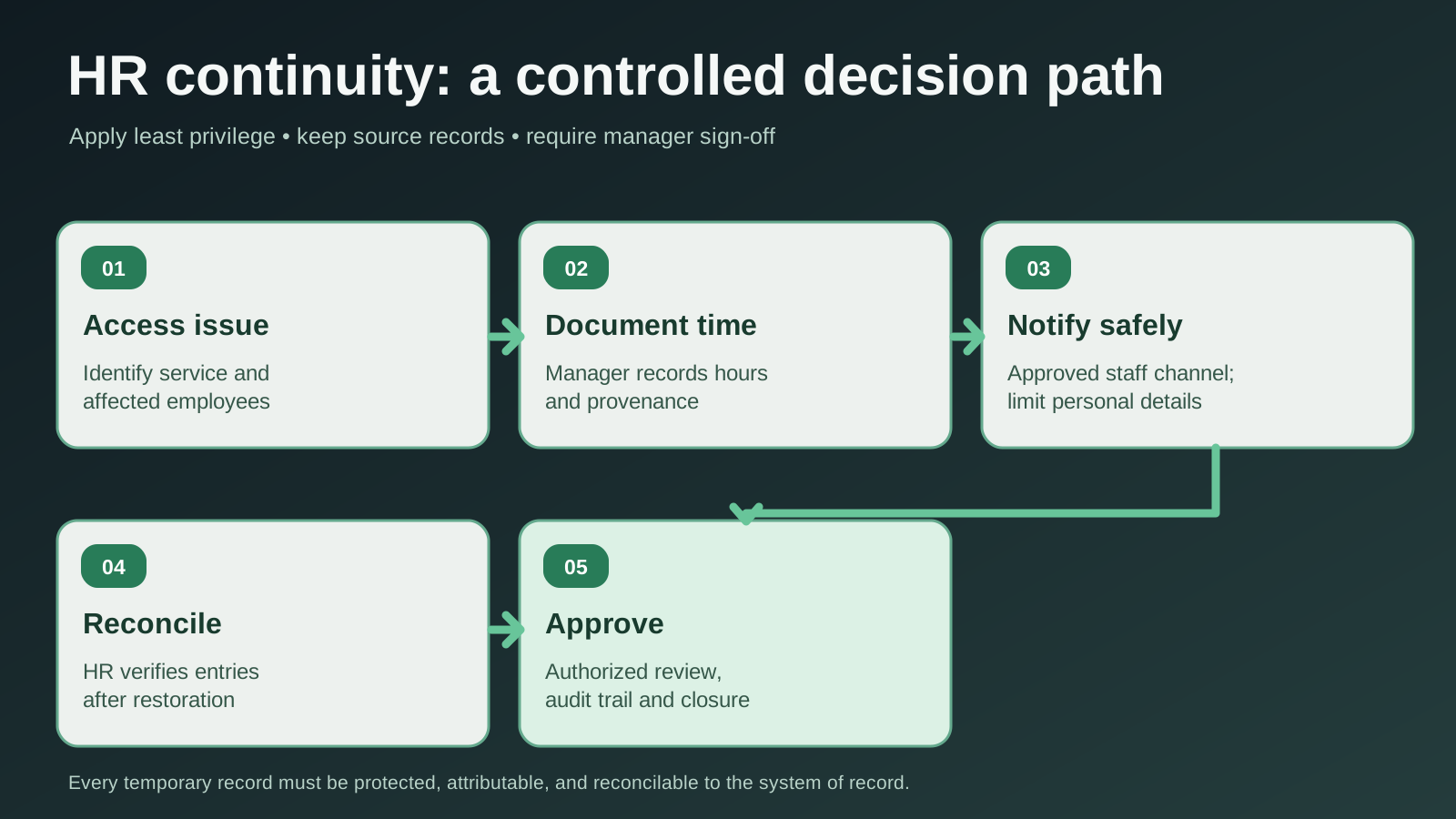
- Recognize and scope the issue. Record symptoms, affected locations and the provider's status information; do not assume every user has the same issue.
- Activate manager documentation. Only designated managers capture time or attendance information through a previously approved form and assign unique references.
- Communicate through approved channels. Tell affected staff which method to use, who can help and when the next update is expected. Share no unnecessary personal data.
- Reconcile on restoration. Compare each temporary entry against existing records and rejected integrations, flag discrepancies and avoid duplicate imports.
- Approve the audit trail. HR or payroll owners sign off the final corrections, retain records for the required period and review the procedure.
This process deliberately leaves final pay decisions and sensitive corrections with authorized people. A system can flag a conflict; it should not invent a shift, salary amount or leave balance when source data is missing.
Where focused ATS and custom workflow software may help
Workday is an enterprise human capital management platform; small business HR software may be far narrower. A recruitment agency, for example, may need a reliable candidate pipeline with vacancy records, interviews, submissions, permissions and reporting, without requiring a large HR suite. NIR.Systems has recruitment-agency ATS software in its industry catalogue and an existing ATS buyer's guide. These are relevant to recruitment workflow evaluation, not evidence of a Workday-equivalent payroll product.
A focused ATS may complement a primary HR platform by keeping non-payroll recruitment tasks organized. A custom workflow can also help with approved staff notices, exception logs or reconciliation queues when there is a documented requirement that existing tools cannot satisfy. The design still must define data controllers, access rights, storage location, deletion rules, integration points and a clear system of record.
Be wary of solving one vendor dependency by introducing multiple new dependencies. If an ATS and an emergency communications tool both require the same identity provider, an outage could disable them together. If the application needs email to approve a candidate, a mail-service problem may still block the process. A credible architecture diagrams those dependencies and tests what happens when each component fails.
Build versus buy: a vendor evaluation checklist
Buy a standard HR product when it meets the actual requirements and supports your operating jurisdictions. Consider a focused recruitment tool when the hiring workflow is sufficiently distinct. Only commission custom software when a specific gap has measurable operational consequences and cannot be addressed more efficiently by configuration or a well-designed manual procedure.
For any option, test a simulated outage before signing: can managers see the schedule they need, document a correction securely, reach the right staff member and reconcile without inventing data? Ask the vendor who owns incident communications and when it will provide evidence of restoration. Vendors should distinguish an uptime target from a guarantee that every integration will always work.
Frequently asked questions
Can a small business run payroll without Workday or its HR platform?
It depends on its authorized payroll provider, legal requirements, source-record quality and payroll cutoffs. Preserving verified time data is a sound first step, but processing wages through an improvised tool can create serious errors. Follow the employer's approved payroll contingency process and obtain qualified advice where necessary.
What should a manager document when HR software goes offline?
Record the affected system, start and end times, responsible staff, source hours or approval requests, the temporary method used, employee and manager confirmations, and any reconciliation corrections. Limit personal information to what is needed for that particular task.
Can an applicant tracking system replace an HR or payroll suite?
Usually not. ATS products focus on recruitment stages, candidate communication and selection workflows. Payroll, benefits, employment records and statutory reporting are separate functions requiring dedicated controls and appropriate products.
What is the first improvement to make after an HR-platform outage?
Check whether the continuity owner could retrieve current, role-appropriate information and complete a real work item end-to-end. Then fix the most consequential failed step. Do not buy an additional app before understanding whether the gap was access, records, approvals or communications.
Keep the workflow, protect the people data
Describe a recruitment, staff-operations or exception-handling process that is difficult to manage with your current systems. NIR.Systems can discuss a narrow custom workflow or focused ATS scope. We do not offer Workday-equivalent payroll or promise uninterrupted HR-system availability.